

IT Landscape
The IT landscape holds what the work technically runs on — on three layers: application, business capability and technology, with the dependencies between them.
The middle layer is deliberately not technical: a business capability such as “win and retain customers” describes what the organisation can do. It lives here because only then can you answer which application serves which capability.
Purpose
Section titled “Purpose”An IT landscape surfaces which application serves which business
capability and which technology it runs on. Via DEPENDS_ON you
model which components depend on which — essential for migration
planning and impact analysis.
Default view: cluster
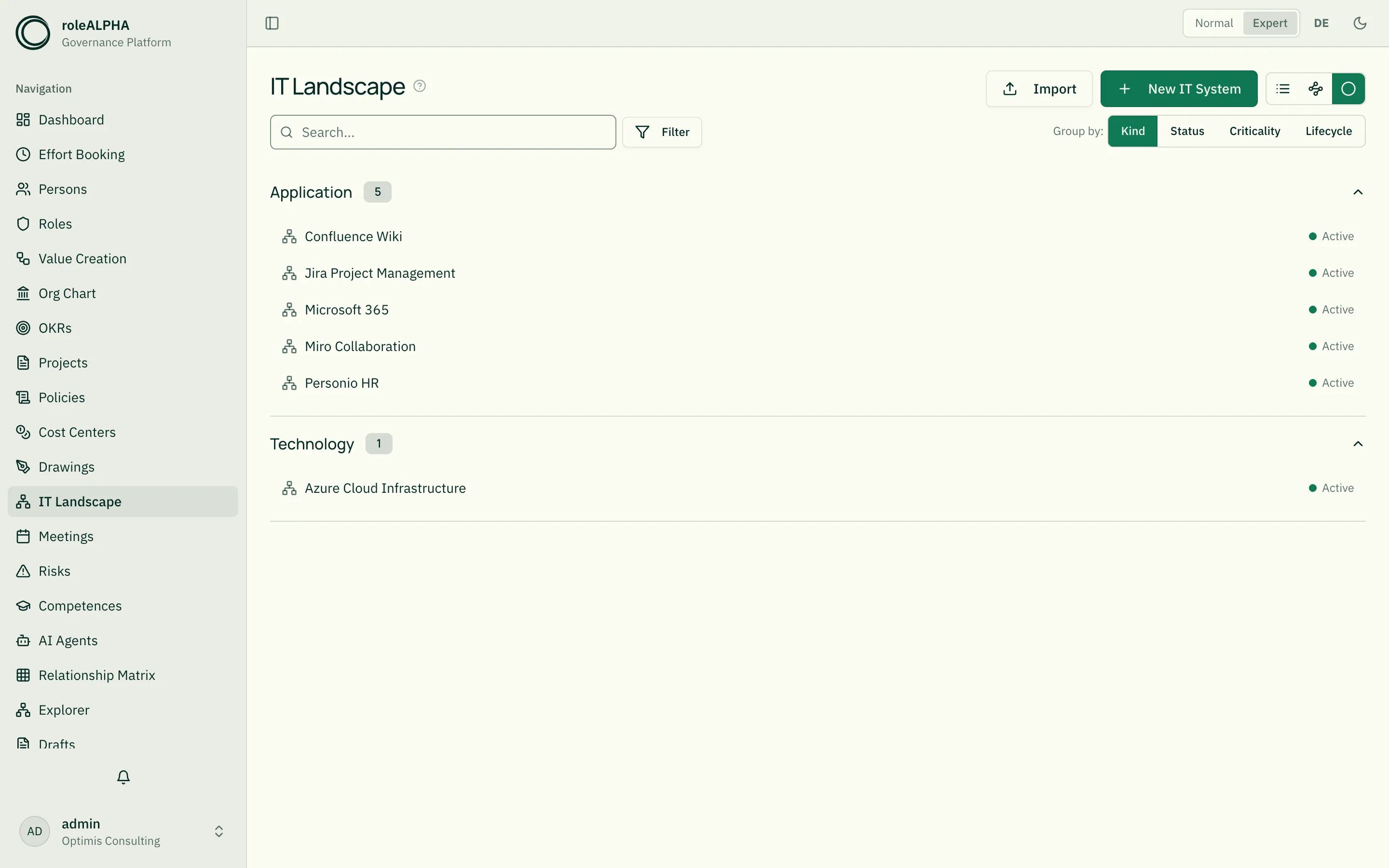
Section titled “Default view: cluster”IT systems open in the cluster view: collapsible groups with a count badge and compact rows (icon + name + status dot). Clicking a row opens the detail view.
Use the “Group by” switch on the right of the filter row above the view to pick the cluster dimension:
- EA type (default) — application, capability, technology.
- Status — active, planned, migrating, phasing out, retired.
- Criticality — mission critical, business critical, business operational, administrative.
- Lifecycle — introduction, growth, maturity, decommissioning.
Groups follow the order defined in your entity type’s schema; custom values that are not part of the schema appear alphabetically after them. Elements without a value in the selected dimension end up in the “Unspecified” group at the bottom. The selected grouping persists across sessions.
Alternative view: list
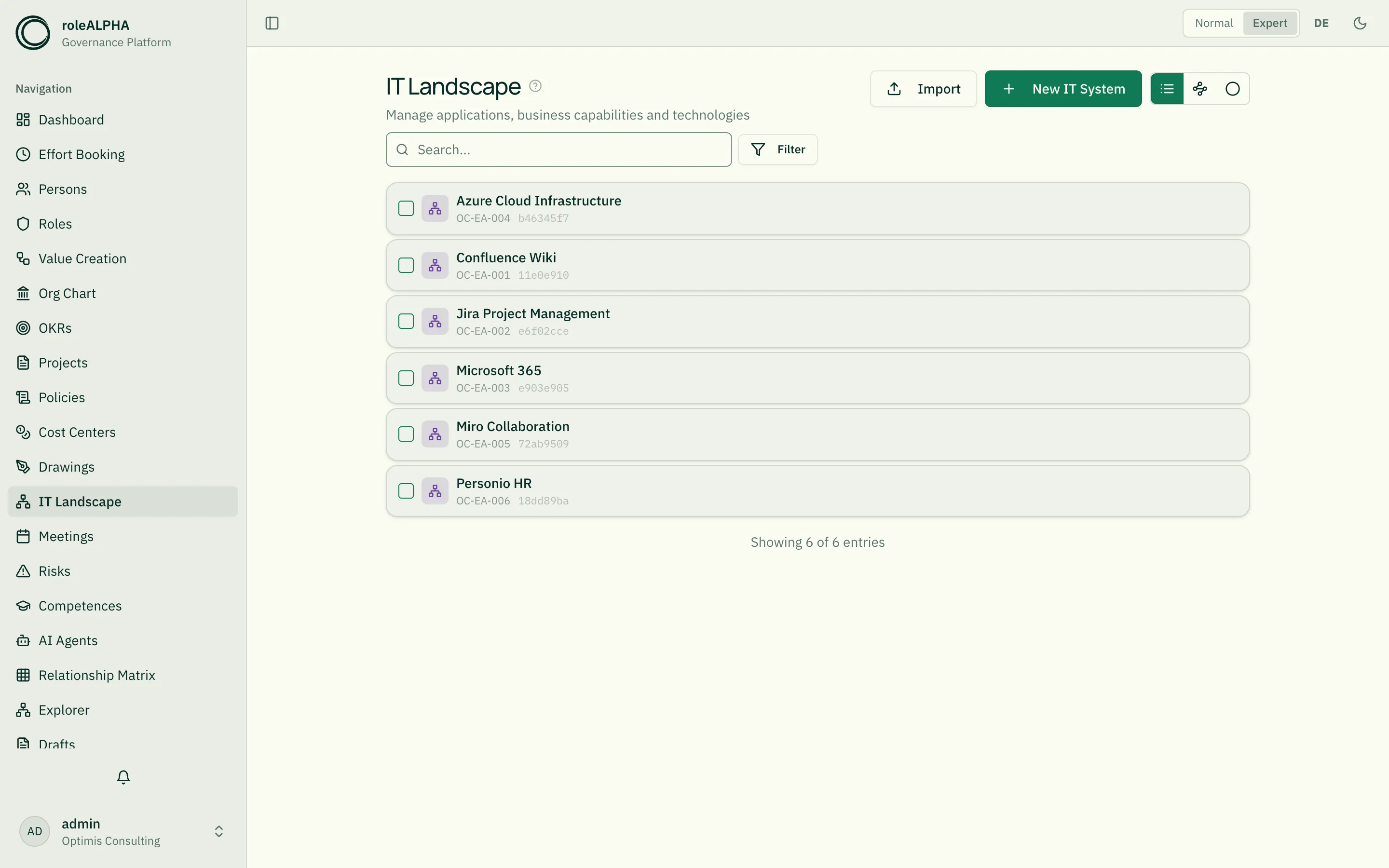
Section titled “Alternative view: list”Use the view switch in the top right next to the page title to change to the card list with type badge (application/capability/technology), criticality, lifecycle phase and maturity level. Filter by type, status, criticality.
An icon per element
Section titled “An icon per element”So that server, database and cloud service can be told apart at a glance,
every IT system carries its own icon. The icon field is part of the
shipped schema; when editing you pick the symbol from a searchable list
(server, database, cloud, network, terminal, …).
The icon shows up in both views: in the cluster view ahead of each row’s name, and on the card in list view — in each case instead of the type icon shared by every element. An element without one keeps the type icon there, so names stay aligned. An entity type with no icon field at all leaves the cluster view looking exactly as before.
Existing entity types do not get the field automatically — the shipped schema only applies when a type is created. Add it via Entity types → Edit: create a
stringfield and pick the Icon presentation in “Presentation per field”. See JSON Schema for Entity Types.
Important relationships
Section titled “Important relationships”- DEPENDS_ON (EA → EA) — dependency between IT systems (e.g. “Order system depends on database technology”)
- OWNS (Person/Role → IT system) — system owner
- EXECUTES (Capability → Value stream) — which value streams a capability delivers
Details: Relationship Types.
Schema to copy
Section titled “Schema to copy”The schema covers three very different element types — show
type-specific fields conditionally via [[entity-type-schema|showWhen]]
so they only appear when the matching eaType is selected.
{ "type": "object", "properties": { "eaType": { "type": "string", "title": "EA type", "enum": ["application", "capability", "technology"] }, "icon": { "type": "string", "title": "Icon", "x-presentation": "icon" }, "description": { "type": "string", "title": "Description" }, "status": { "type": "string", "title": "Status", "enum": ["Active", "Planned", "Migration", "Phasing out", "Retired"] }, "lifecycle": { "type": "string", "title": "Lifecycle phase", "enum": ["Introduction", "Growth", "Maturity", "Decline"] }, "vendor": { "type": "string", "title": "Vendor / manufacturer" }, "criticality": { "type": "string", "title": "Criticality", "enum": ["Mission Critical", "Business Critical", "Business Operational", "Administrative"] }, "maturityLevel": { "type": "integer", "title": "Maturity level (1-5)", "minimum": 1, "maximum": 5 }, "capabilityLevel": { "type": "string", "title": "Capability level", "enum": ["Level 1 (Strategic)", "Level 2 (Tactical)", "Level 3 (Operational)"] }, "strategicRelevance": { "type": "string", "title": "Strategic relevance", "enum": ["High", "Medium", "Low"] }, "techCategory": { "type": "string", "title": "Technology category", "enum": ["Language", "Framework", "Database", "Cloud service", "Middleware", "Infrastructure"] }, "version": { "type": "string", "title": "Version" } }, "required": ["eaType"]}Extension ideas: tcoAnnual (total cost of ownership),
licenseType, supportEndDate. Details: JSON Schema for Entity Types.
Detail view
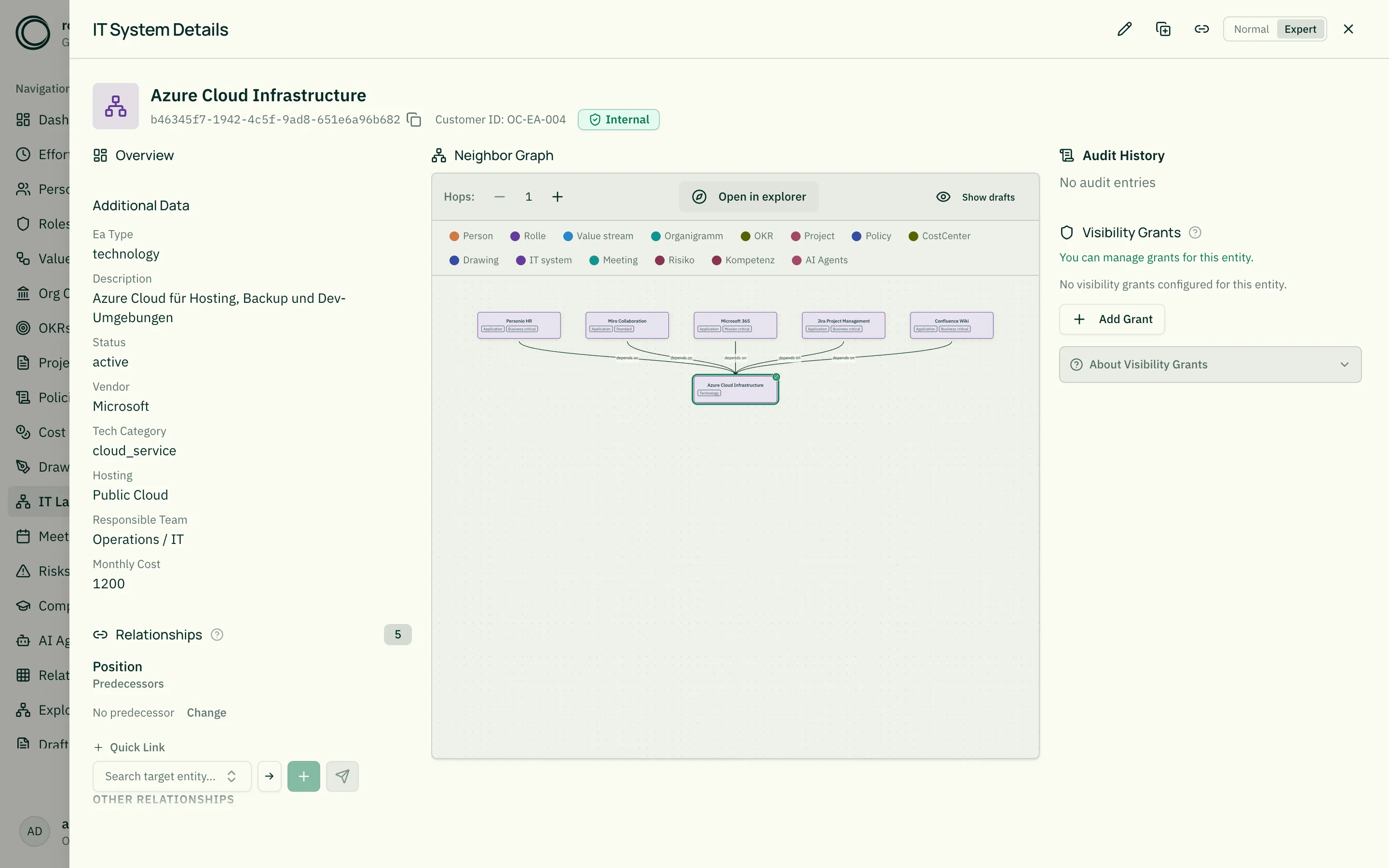
Section titled “Detail view”- Type badge + criticality highlight
- Lifecycle phase + maturity indicator
- Vendor / manufacturer
- Upstream and downstream dependencies (DEPENDS_ON both directions)
- System owner via OWNS
Related
Section titled “Related”- Entity Types — General info on entity types
- JSON Schema for Entity Types — JSON schema options,
showWhenfor type-specific fields - Value Creation — Value streams powered by IT systems
- Risks — Risks rooted in EA dependencies
- Relationship Types — DEPENDS_ON, OWNS in detail