

Projects
Dependencies · Data Nodes
- Links to: —
- Linked from: Demands (via
ORIGINATES_FROM)
Projects are time-boxed endeavours with start, end, budget and a project type — from initiative down to subproject.
Purpose
Section titled “Purpose”A project bundles a clearly time-boxed activity. Projects can be
decomposed hierarchically: an initiative contains programmes,
which in turn contain projects and subprojects. You model this
hierarchy via IS_SUBPROJECT.
Default view
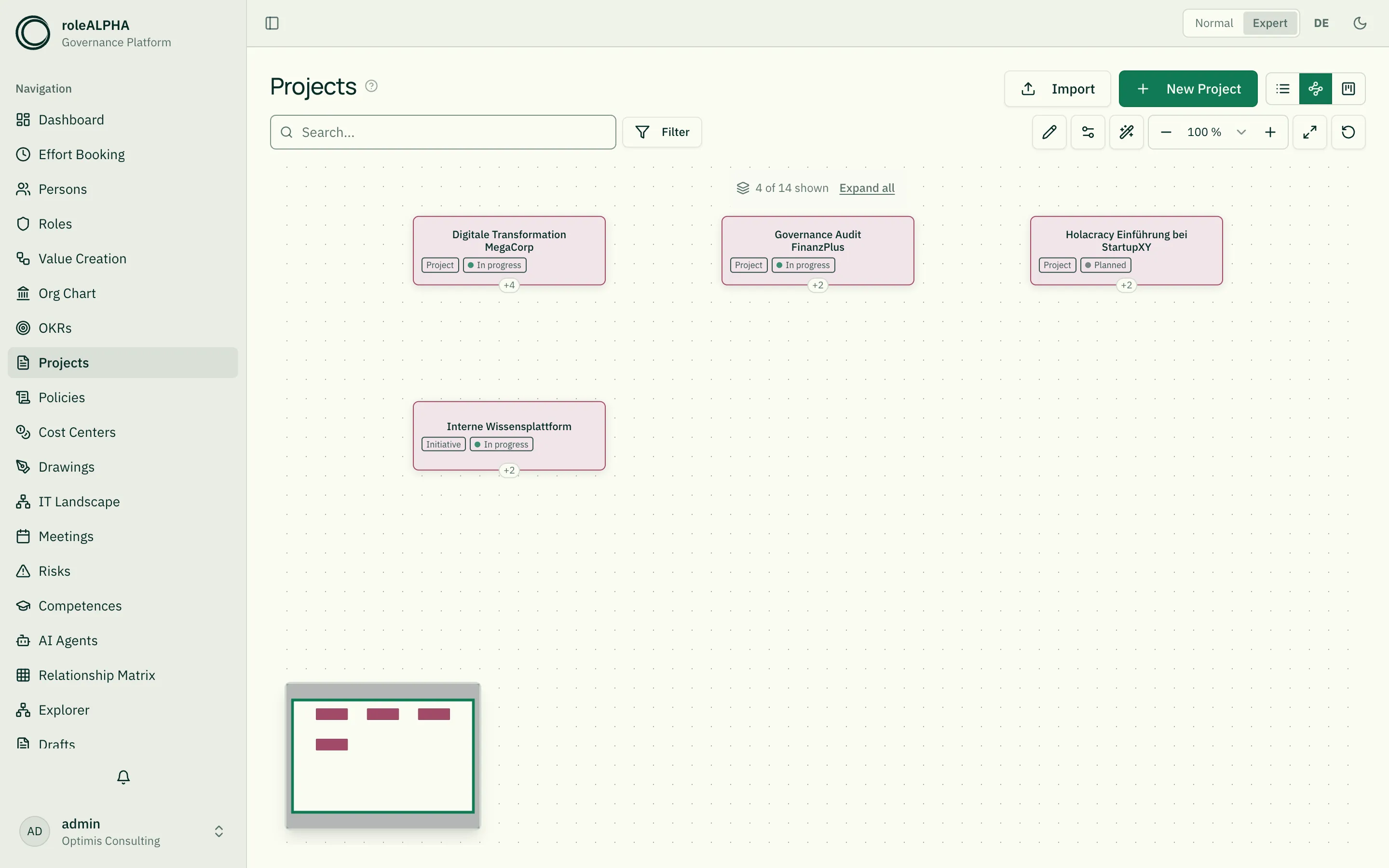
Section titled “Default view”Opening the page shows the picture — the explorer, see below. Via the view toggle you can switch to list view or to the kanban board at any time.
The kanban board
Section titled “The kanban board”The third view arranges projects in columns by their status — and you change it by dragging a card into another column. Switch lanes on and the board additionally splits into bands per role or per person; the person lane is derived from the participants of the staffing relationship (“staffs”). Everything else: Kanban board.
The diagram view: the explorer
Section titled “The diagram view: the explorer”Since 09/2026 the explorer draws the project hierarchy — the same canvas as in every other area. The former dedicated project hierarchy is gone; it showed the same thing (measured: same nodes, same connections) but could only ever look one way. What a card shows is now stated by the entity type through its declaration — a tenant can configure that, and can run several project entity types with different appearances.
The hierarchy still comes from IS_SUBPROJECT (Project → Project, “has subproject” / “is subproject of”). Without that relationship type the projects sit side by side instead of underneath one another — no separate setup page is needed for it any more, because the explorer draws a complete picture even without a hierarchy.
What you gain on top: search and filters act on the picture, your arrangement survives the visit, cards can be selected and worked on together, the right-click menu is considerably richer, and connections carry their names.
List view
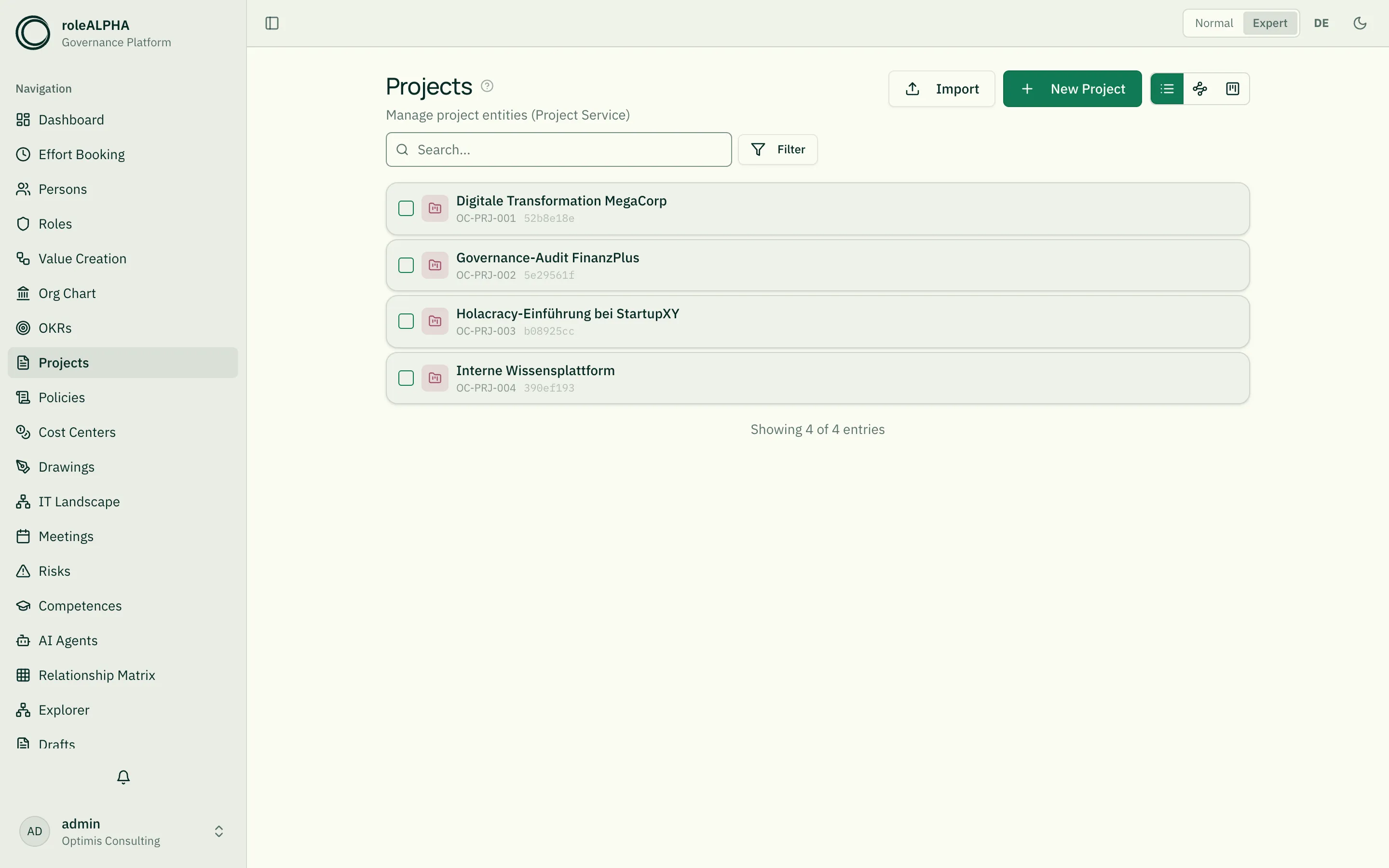
Section titled “List view”The toggle on the right of the toolbar takes you to the familiar list view with search, filters and bulk editing at any time.
Important relationships
Section titled “Important relationships”- IS_SUBPROJECT (Project → Project) — hierarchy
- EXECUTES (Person → Project) — project participation
- OWNS (Person → Project) — project lead
- BELONGS_TO (Project → Cost Center) — budget allocation
Details: Relationship Types.
Schema to copy
Section titled “Schema to copy”{ "type": "object", "properties": { "projectType": { "type": "string", "title": "Project type", "enum": ["Initiative", "Programme", "Project", "Subproject"] }, "status": { "type": "string", "title": "Status", "enum": ["Planned", "In progress", "Completed", "Stopped"] }, "startDate": { "type": "string", "title": "Start date", "format": "date" }, "endDate": { "type": "string", "title": "End date", "format": "date" }, "budget": { "type": "number", "title": "Budget" }, "description": { "type": "string", "title": "Description" } }, "required": ["projectType"]}Extension ideas: milestones as array, riskScore, methodology
(waterfall/agile). Details: JSON Schema for Entity Types.
Demand on the project
Section titled “Demand on the project”What a project needs in capacity, activity and skill belongs on the project as a demand — with a time span and an amount, not as a number per quarter. If the project needs different kinds of work, those are several demands on the same project; that keeps partial coverage expressible and shows which part is open.
The reports tab then shows demand, plan and open side by side per period, plus the list of demands that are not yet staffed, with time span, required role and the gap in hours — directly actionable. See Demand & Resource Planning and Resource planning.
Detail view
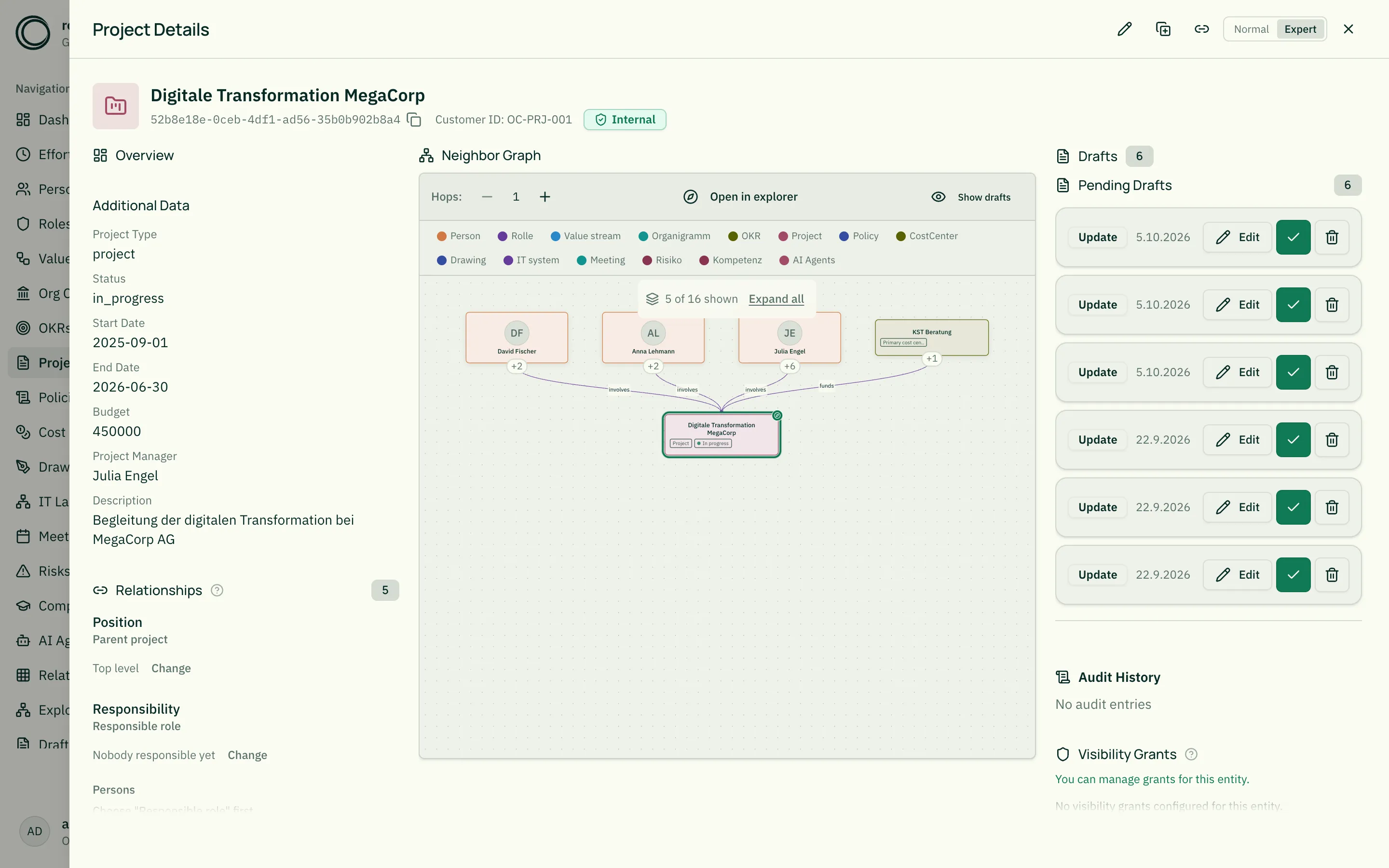
Section titled “Detail view”- Project type badge + status
- Timeline (start and end date, progress if available)
- Budget
- Parent projects and subprojects
- Involved persons via EXECUTES/OWNS
Related
Section titled “Related”- Entity Types — What entity types are
- JSON Schema for Entity Types — JSON schema options
- OKRs — Goals a project pursues
- Cost Centers — Cost centers for budgets
- Relationship Types — IS_SUBPROJECT, OWNS in detail
- Level Slider – Collapse Large Hierarchies — Collapse levels in the hierarchy
- Kanban board — Move the status, lanes by role and person