

Roles
Dependencies · Data Nodes
- Links to: —
- Linked from: AI agents (via
AGENT_FULFILLS_ROLE), Competences (viaREQUIRES), Demands (viaORIGINATES_FROM,REQUIRES_ROLE)
Roles are the heart of the organization: they define WHAT gets done, not WHO does it. Persons execute roles; roles bundle accountabilities.
Purpose
Section titled “Purpose”A role bundles a purpose, accountabilities (ongoing responsibilities) and domains (exclusively controlled areas). Multiple persons can execute the same role, one person can hold multiple roles. Roles can form hierarchies (e.g. “department lead” implements several team leads).
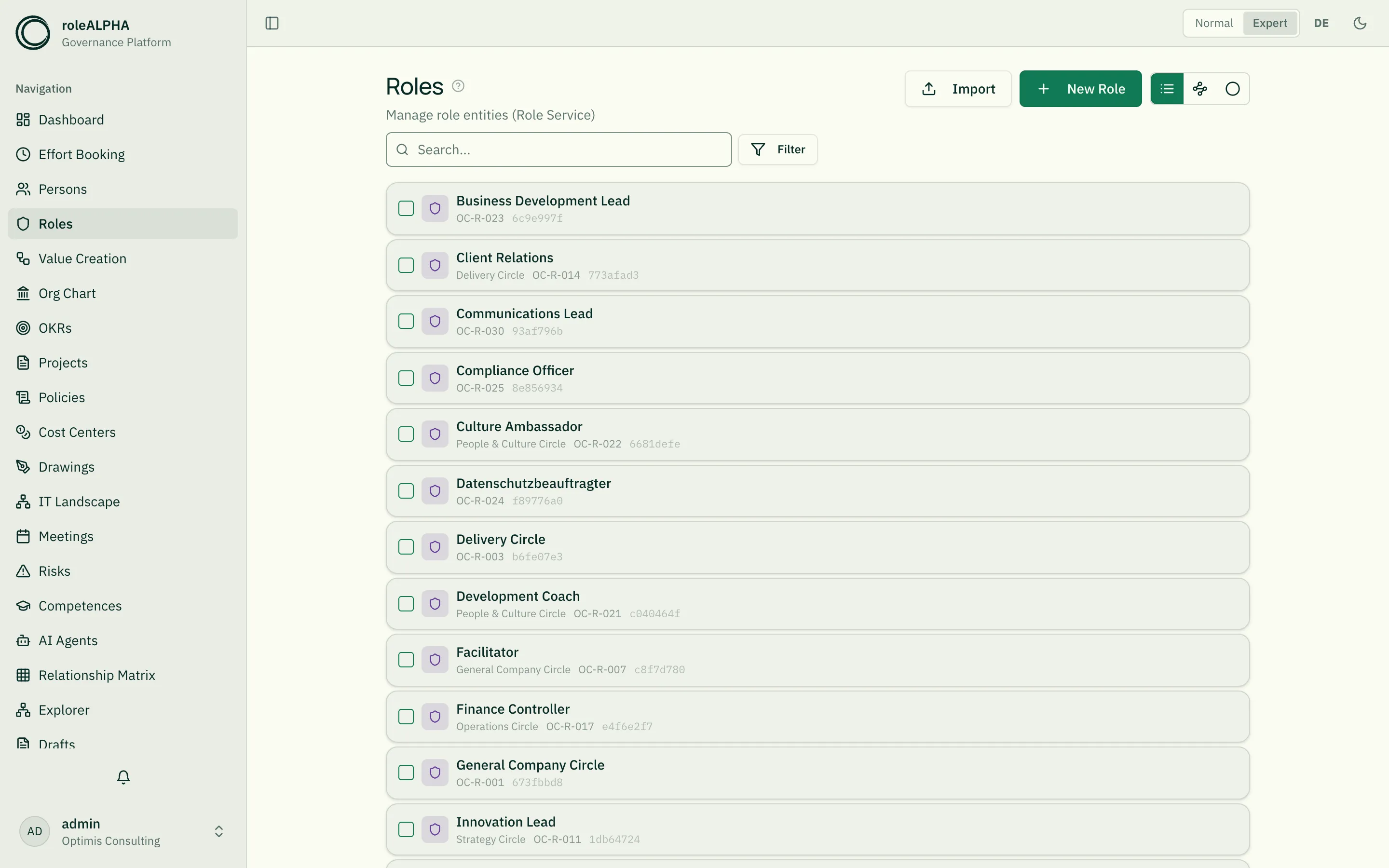
Default view
Section titled “Default view”The default view for roles is the circle visualisation
(RoleCircleView) — circles implement smaller circles or roles. Via
the view toggle next to the page title you can switch to list view at any time.
Alternative view: role circle
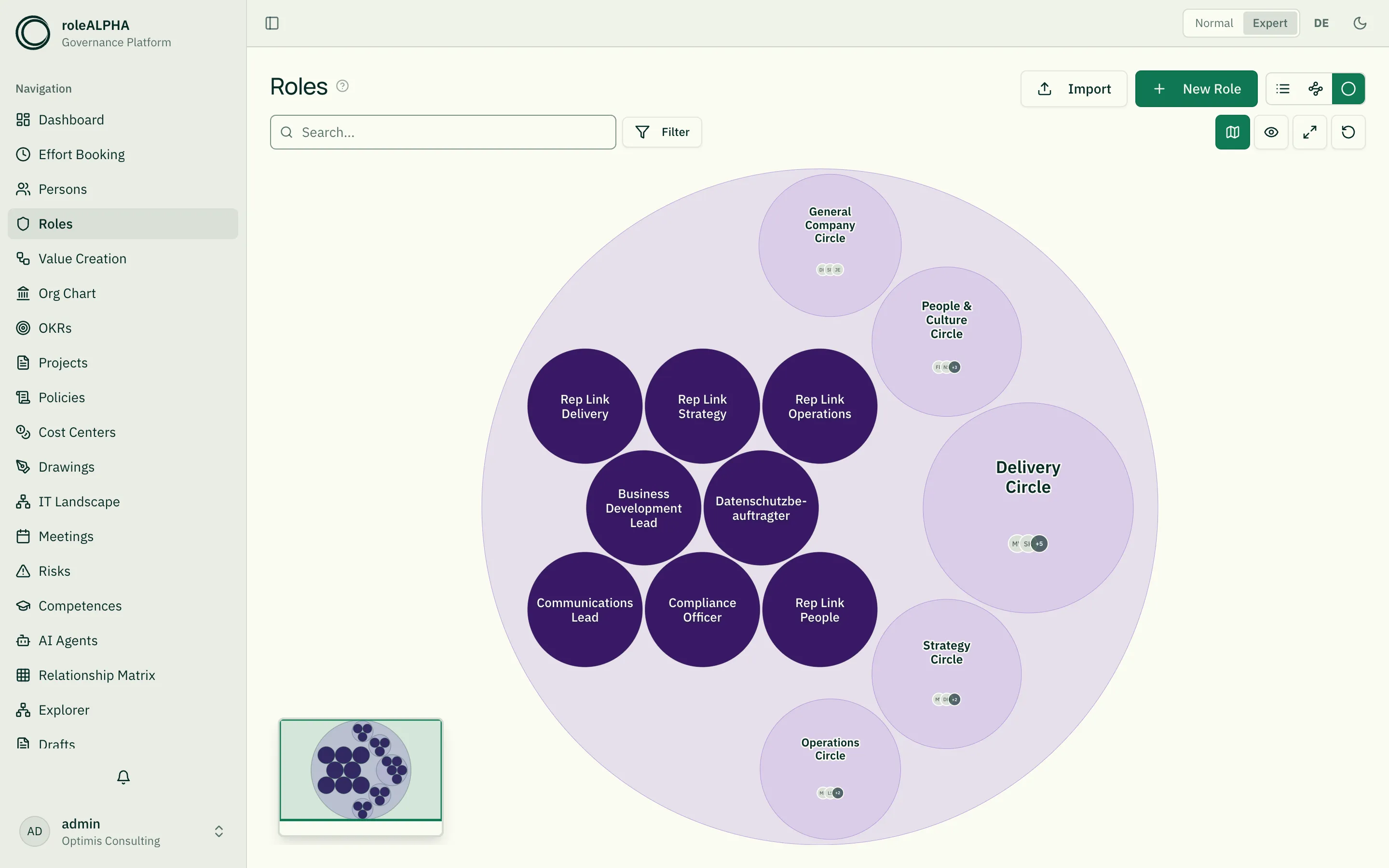
Section titled “Alternative view: role circle”This view visualises the role hierarchy via IS_IMPLEMENTED_BY as
nested circles — inspired by the Holacracy model. Requires:
- IS_IMPLEMENTED_BY (Role → Role) — “is implemented by” / “implements”. Defines the hierarchy.
Without these relationships every role appears as an isolated top-level circle.
Interaction: Clicking a circle or role zooms to fit it; clicking the already-focused circle again opens its detail page. Clicking empty space zooms back out to the overview. You can also zoom with the mouse wheel; the minimap shows the current viewport. The buttons on the right of the filter row above the view toggle the minimap, show pending drafts (dashed-green, not-yet-approved roles/circles grouped in a “Drafts” bubble), fit the view (the two-arrows button), and reset it to the overview.
Level of detail (semantic zoom): At a low zoom level, circles summarise their many roles into a group and show the people in the circle (aggregated avatars) instead of every role — reducing clutter in the overview. Zooming into a circle “opens” it and reveals its individual roles again, so you drill into the organisation level by level. The zoom level at which this switches can be configured per tenant under Branding (“Role circle: detail threshold”).
Focus: Hovering a circle or role highlights it in the tenant’s secondary
colour and a tooltip names it together with its parent circles
(Circle › Sub-circle). That helps especially when zoomed out, where labels are
hidden, and with identically named roles in different circles.
Important relationships
Section titled “Important relationships”- IS_IMPLEMENTED_BY (Role → Role) — role covers sub-roles
- EXECUTES (Person → Role) — person performs the role
- OWNS (Person → Role) — person is lead-link of the role
- REQUIRES (Role → Competence) — required skills
- BELONGS_TO (Role → Organigramm/Cost Center) — structural anchor
Details: Relationship Types.
Schema to copy
Section titled “Schema to copy”{ "type": "object", "properties": { "subtype": { "type": "string", "title": "Type", "description": "Whether this is a role or a circle", "enum": ["role", "circle"] }, "purpose": { "type": "string", "title": "Purpose", "description": "Why this role or circle exists" }, "accountabilities": { "type": "array", "title": "Accountabilities", "description": "Ongoing responsibilities", "items": { "type": "string" } }, "domains": { "type": "array", "title": "Domains", "description": "Exclusively controlled areas/assets", "items": { "type": "string" } } }, "required": ["purpose", "accountabilities", "subtype"]}Extension ideas: policies (list of applied policies), criteria
(success criteria), tags. Schema options in detail:
JSON Schema for Entity Types.
Demand for this role
Section titled “Demand for this role”A role is a bundle of activities with a shared purpose — which is exactly what makes it the activity axis of demand planning. A demand points at it via requires role and adopts its accountabilities as a suggestion for its own activity list (copied, not linked: a later change to the role must not retroactively change what somebody was planned for).
Two directions, both of which occur:
- Role → demand: the target staffing. If a role has to be filled permanently, that is a run demand originating from this role — finally a number instead of an assumption.
- Demand → role: a role emerges from a demand for which none exists yet. That is not a single button but a guided step which first shows which existing roles already cover the activities — an activity held by two roles is a role conflict. See Deriving a role from a demand.
Two cards appear in the reports tab: how much demand this role carries per period, and who performs it while still having capacity free.
Detail view
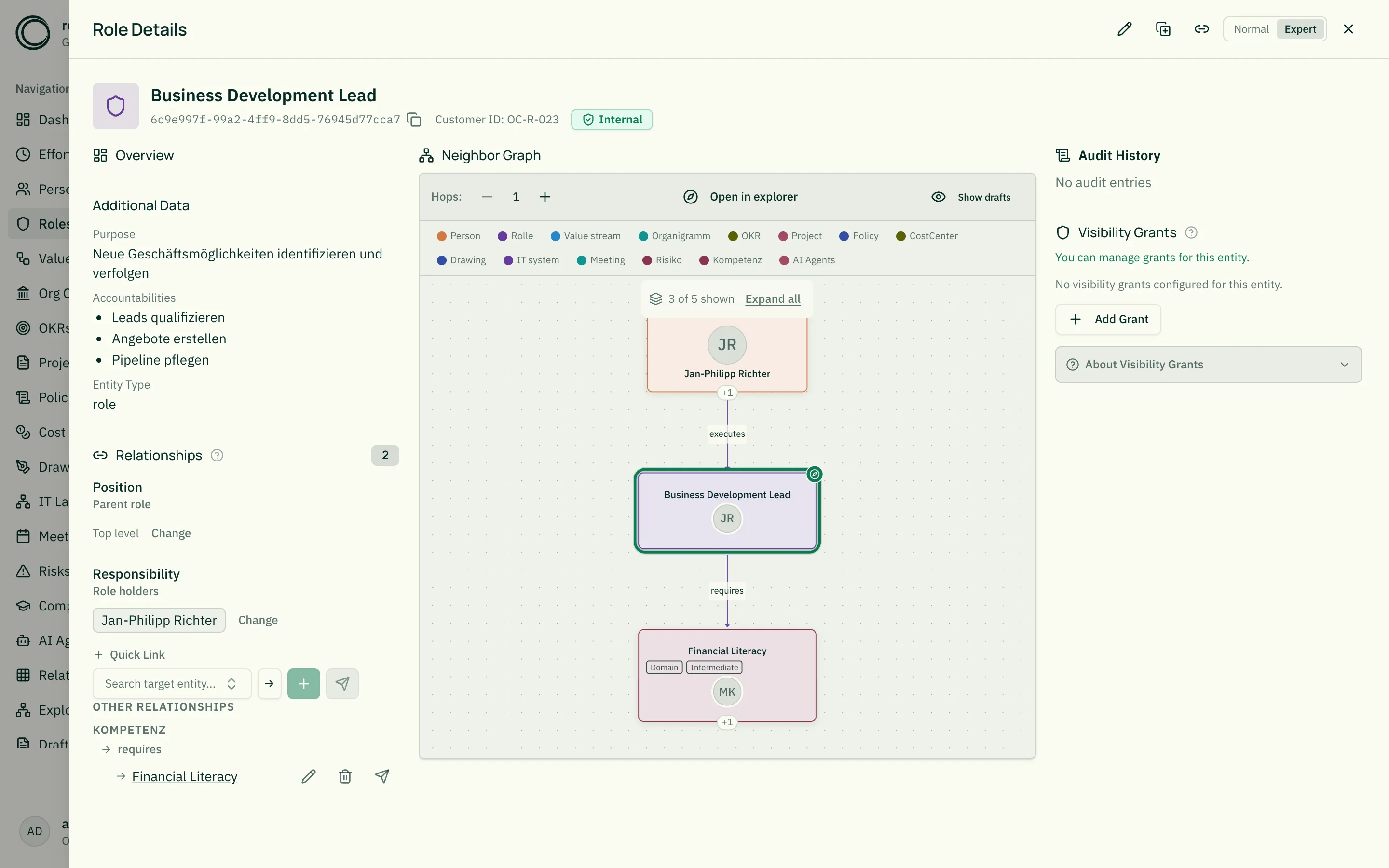
Section titled “Detail view”The detail view shows:
- The subtype in the heading — depending on the
subtypefield it reads Circle, Guild or Role (instead of a generic “Role”). - Purpose as lead text
- Accountabilities as chip list
- Persons executing the role (via EXECUTES)
- Nested sub-roles (via IS_IMPLEMENTED_BY)
- Replicas: the role placed in other contexts (Duplicates & Replicates)
Related
Section titled “Related”- Entity Types — What entity types are
- Persons — Persons executing roles
- JSON Schema for Entity Types — JSON schema options
- Relationship Types — IS_IMPLEMENTED_BY, EXECUTES, OWNS in detail