

Meetings
In roleALPHA, meetings are more than a calendar entry: they link attendees, discussed topics and decisions to the rest of your organisational data.
Purpose
Section titled “Purpose”A meeting bundles an appointment with agenda, attendees and decisions. Through relationships you anchor the meeting to roles, projects or OKRs — so it’s transparent which topics were treated by which circle.
Default view: the cadence view
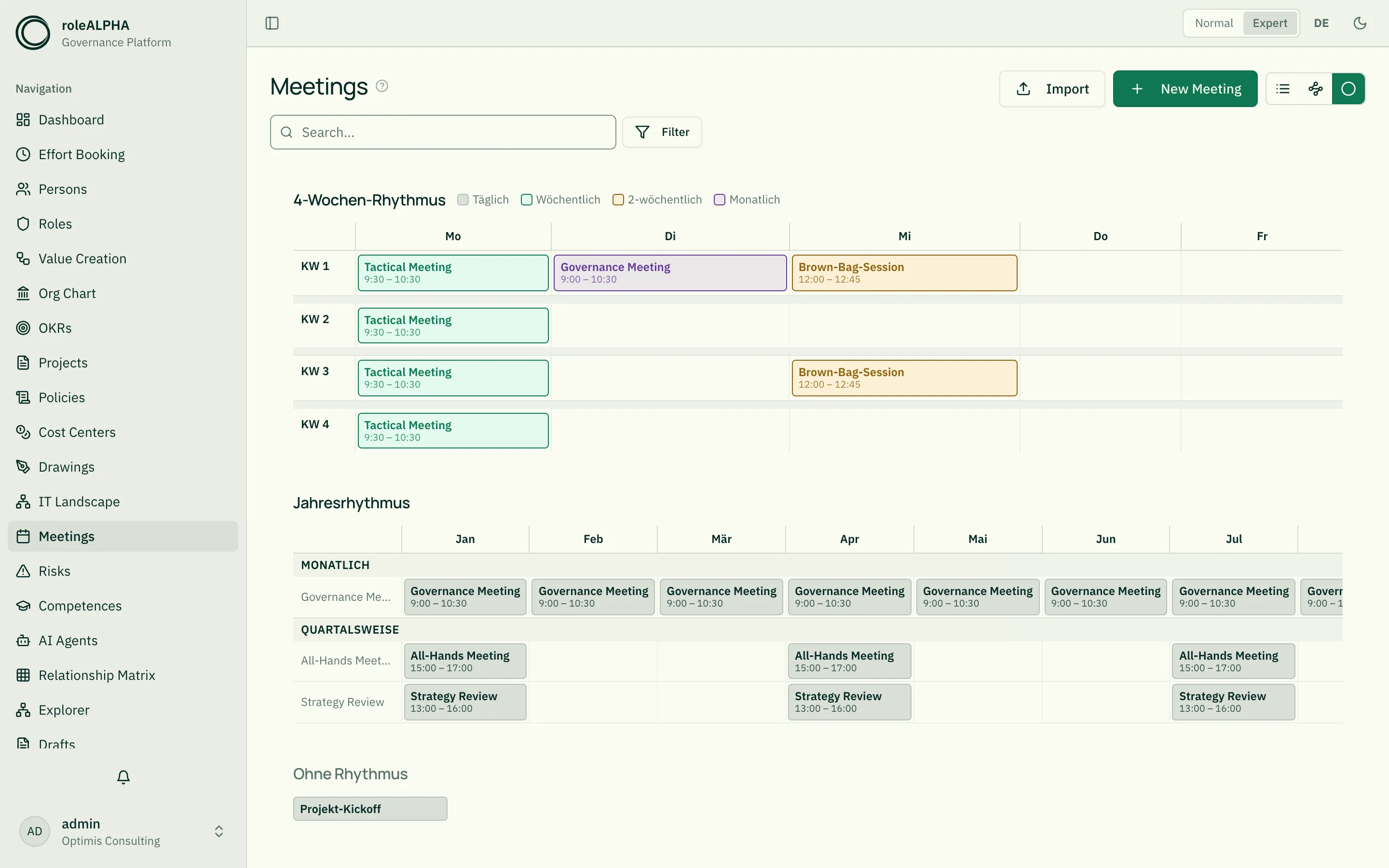
Section titled “Default view: the cadence view”Opening the meetings page shows the cadence view — not a calendar, but a grid showing the rhythm your meetings run on:
- The 4-week grid covers everything that repeats within a month (daily, weekly, every two weeks, monthly). Columns are weekdays, rows are calendar weeks 1 to 4. A fortnightly meeting appears only in the even or only in the odd weeks — depending on the “week cycle” field.
- The year grid below shows the rarer rhythms (monthly, every two months, quarterly, semi-annually, annually) across the twelve months.
- Other collects meetings without a recurrence — one-offs, kickoffs, event-driven rounds.
Each chip names the meeting and its time window; a click opens the detail view. The chip colour stands for the rhythm.
List view
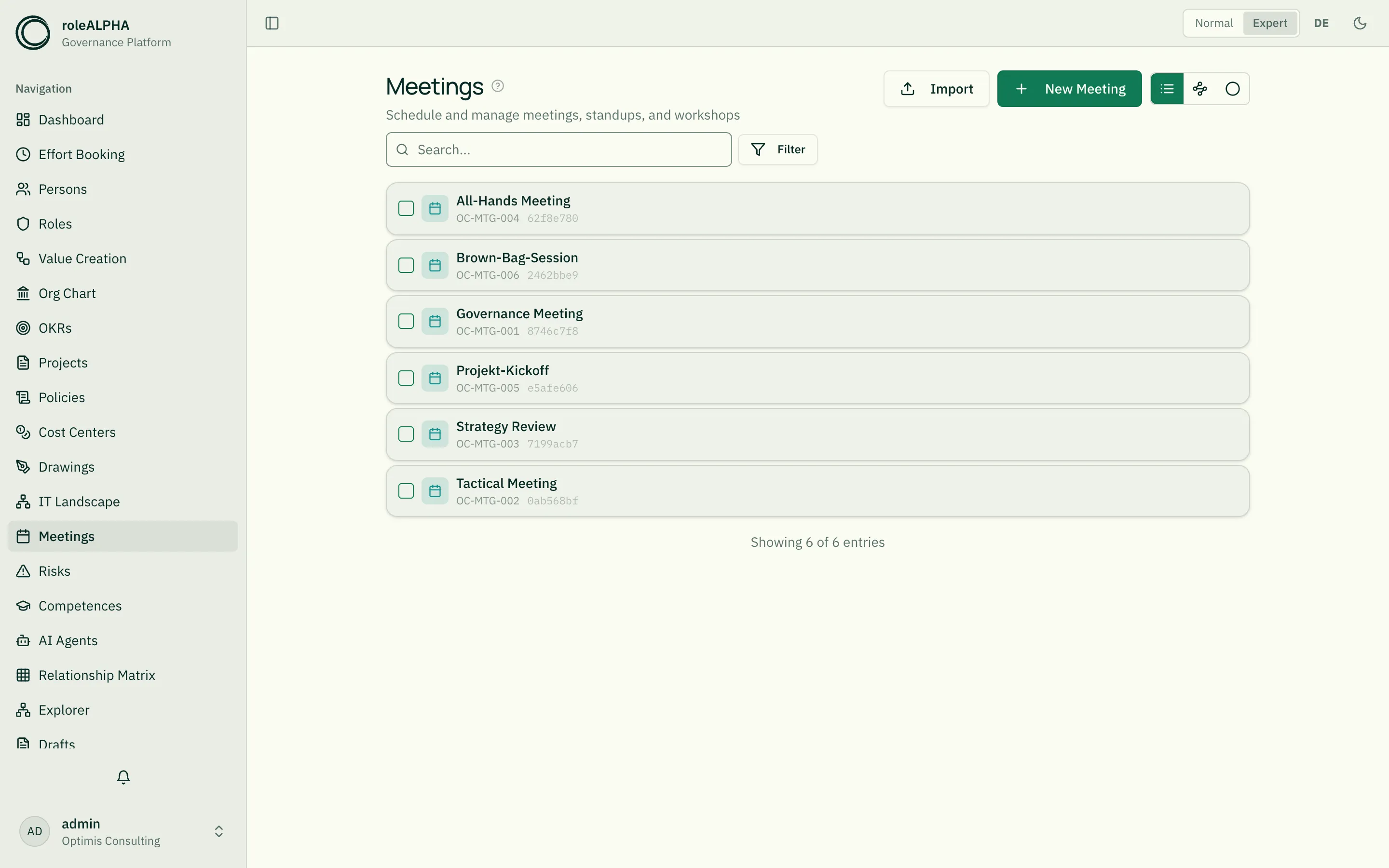
Section titled “List view”The toggle on the right of the toolbar takes you to the familiar list view with search, filters and bulk editing at any time.
Which fields the cadence view needs
Section titled “Which fields the cadence view needs”The view reads five fields from the entity type’s JSON schema: recurrence,
dayOfWeek, startTime, durationMinutes and weekCycle. roleALPHA ships
these fields out of the box — newly created tenants get them when the entity
type is created, existing ones have them added automatically on the next start.
Your own field definitions are left untouched.
If one of the fields is missing — because it was deliberately removed, say — the view shows a step-by-step guide with the matching JSON schema to copy instead of the grid.
None of these fields is mandatory: a meeting can be created without a rhythm; it then appears under “Other”.
Important relationships
Section titled “Important relationships”- PARTICIPATES_IN (Person → Meeting) — attendance
- OWNS (Person → Meeting) — meeting organiser
- DISCUSSES (Meeting → anything) — what was discussed (roles, projects, OKRs, risks …)
- BELONGS_TO (Meeting → Organigramm Unit) — organising context
Details: Relationship Types.
Which fields a meeting has out of the box
Section titled “Which fields a meeting has out of the box”The shipped schema covers both: what the cadence view needs, and what otherwise makes up a meeting.
| Field | Meaning |
|---|---|
description | Purpose and description |
meetingType | free-form type label (governance, review, jour fixe …) |
recurrence | recurrence rhythm — daily through annually |
weekCycle | even or odd calendar weeks (only for fortnightly / bimonthly) |
monthPosition | first, second or last week of the month (only for monthly) |
dayOfWeek | weekday (0 = Monday) |
startTime | start time |
durationMinutes | duration in minutes |
facilitator | facilitator |
room | room or location |
link | meeting link |
agenda | agenda items as a list |
participantCount | number of attendees |
weekCycle and monthPosition only appear in the form when the chosen rhythm
actually needs them.
You can extend it at any time. A proven addition, ready to paste under
properties:
{ "minutes": { "type": "string", "title": "Minutes" }, "decisions": { "type": "array", "title": "Decisions", "items": { "type": "string" } }, "actionItems": { "type": "array", "title": "Action items", "items": { "type": "object", "properties": { "what": { "type": "string", "title": "What" }, "who": { "type": "string", "title": "Who" }, "until": { "type": "string", "title": "Due", "format": "date" } } } }, "recordingUrl": { "type": "string", "title": "Recording", "format": "uri" }}How to edit the schema: JSON Schema for Entity Types.
Detail view
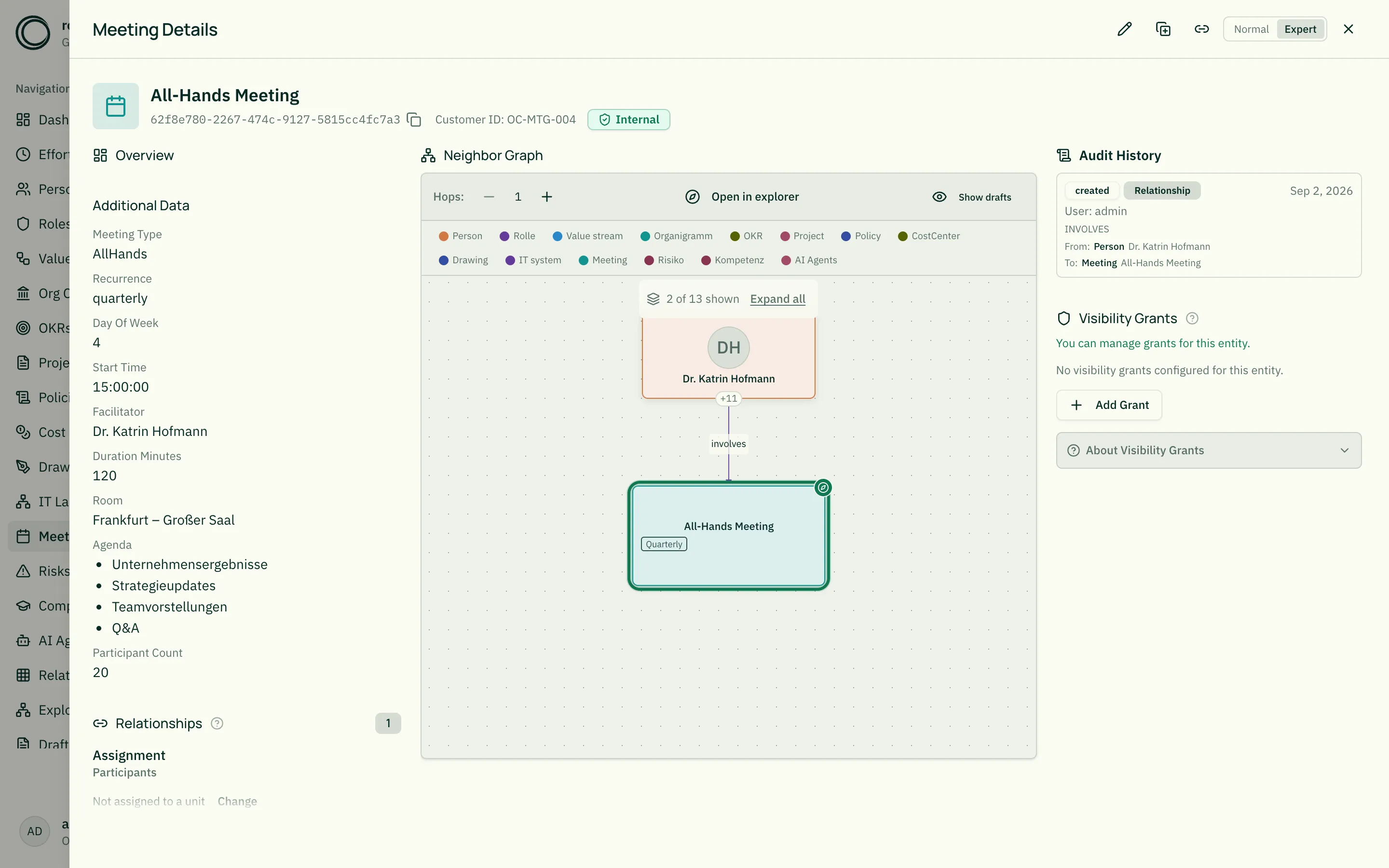
Section titled “Detail view”- Schedule and duration prominent
- Status badge
- Attendee list (PARTICIPATES_IN)
- Agenda as list
- Minutes and decisions
- Linked topics via DISCUSSES
Related
Section titled “Related”- Entity Types — General info on entity types
- JSON Schema for Entity Types — JSON schema options
- Persons — Attendees
- Roles — Roles in whose circle meetings take place
- Relationship Types — PARTICIPATES_IN, DISCUSSES in detail