

Policies
Dependencies · Data Nodes
- Links to: —
- Linked from: AI agents (via
AGENT_BOUND_BY_POLICY)
Policies are binding rule sets that apply across the organization — e.g. code of conduct, IT security policy, data-protection policy.
Purpose
Section titled “Purpose”A policy has a type, a status, a scope, and an effective date. Through relationships you can attach policies to roles, value streams and organigramm units, so it’s clear who has to comply with what.
Default view
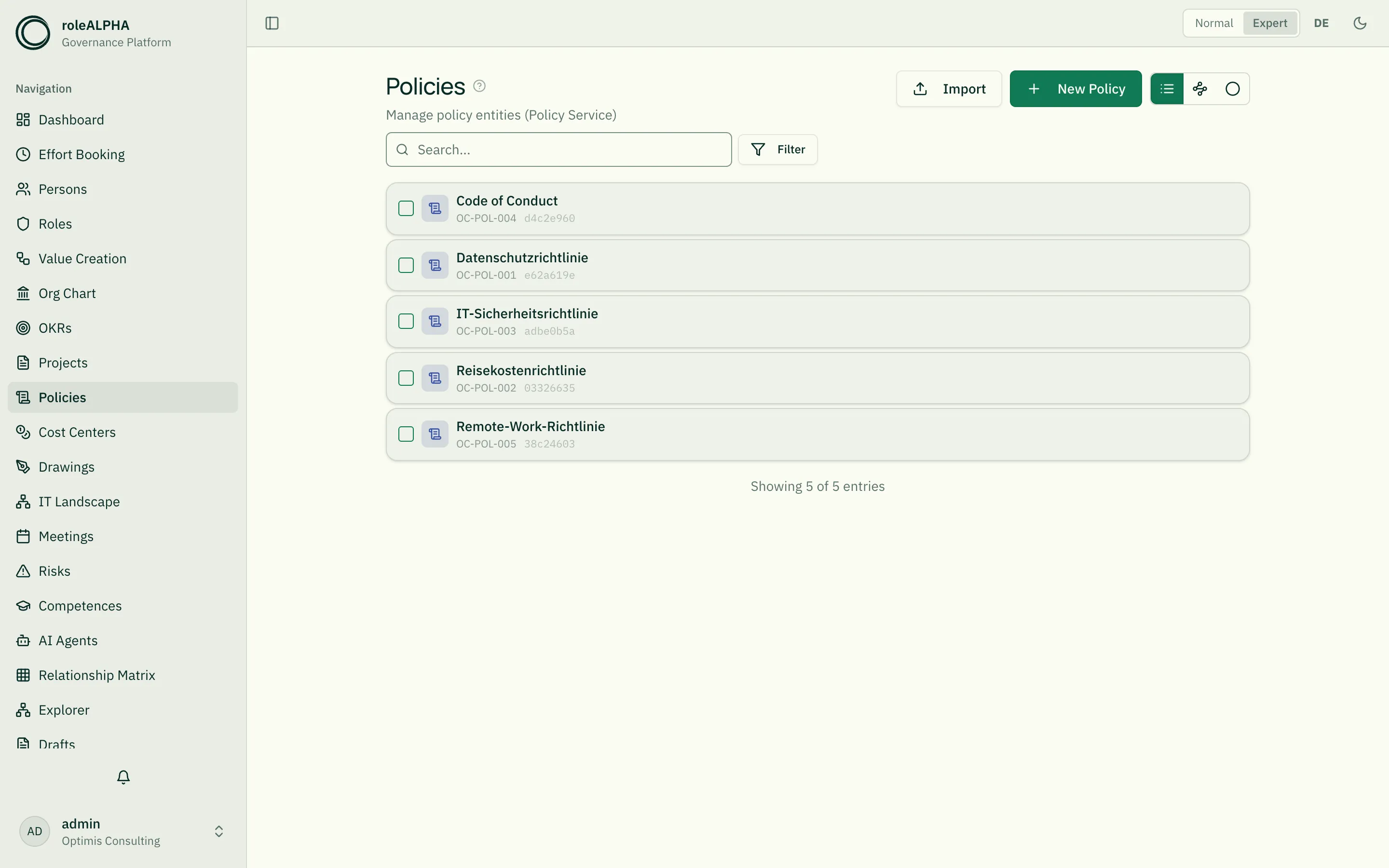
Section titled “Default view”Policies are displayed as a card list with type, status, scope and version. Filter by type, status and scope.
Alternative view: Cluster
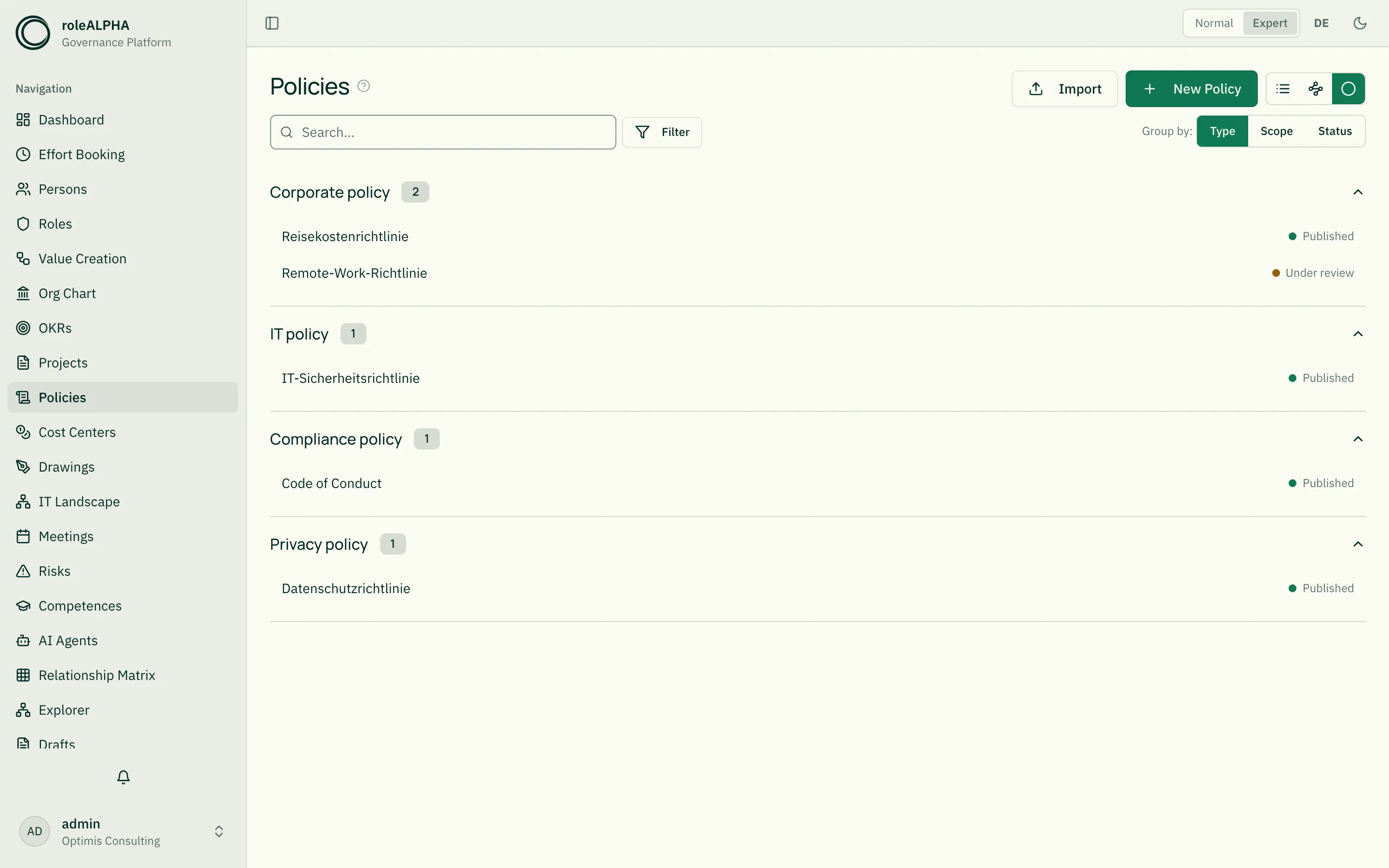
Section titled “Alternative view: Cluster”Use the view switcher in the top right next to the page title to go from the list to the cluster view. Policies are shown in collapsible groups — each group with a count badge and compact rows (name + status dot). Clicking a row opens the detail view.
The “Group by” switcher on the right of the filter row above the view selects the cluster dimension:
- Type — groups by policy type (IT, Compliance, Security policy …).
- Scope — groups by reach (Enterprise-wide, Department, Section, Team).
- Status — groups by workflow status (Draft, In review, Approved, Published, Withdrawn).
The chosen grouping is remembered across sessions. Policies without a value in the selected dimension end up in the “Unspecified” group at the bottom.
Important relationships
Section titled “Important relationships”- OWNS (Person → Policy) — policy owner (accountable for upkeep and review)
- BELONGS_TO (Policy → Organigramm Unit) — scope
- APPLIES_TO (Policy → Role/Value stream/Object) — the scope: what this policy governs
Details: Relationship Types.
Schema to copy
Section titled “Schema to copy”{ "type": "object", "properties": { "policyType": { "type": "string", "title": "Policy type", "enum": ["Corporate policy", "IT policy", "Compliance policy", "Security policy", "Data protection policy"] }, "status": { "type": "string", "title": "Status", "enum": ["Draft", "Under review", "Approved", "Published", "Withdrawn"] }, "effectiveDate": { "type": "string", "title": "Effective from", "format": "date" }, "reviewDate": { "type": "string", "title": "Next review", "format": "date" }, "scope": { "type": "string", "title": "Scope", "enum": ["Company-wide", "Division", "Department", "Team"] }, "description": { "type": "string", "title": "Description" }, "version": { "type": "string", "title": "Version" } }, "required": ["policyType"]}Extension ideas: documentUrl, approver, language,
relatedStandards (ISO 27001 etc.). Details: JSON Schema for Entity Types.
Detail view
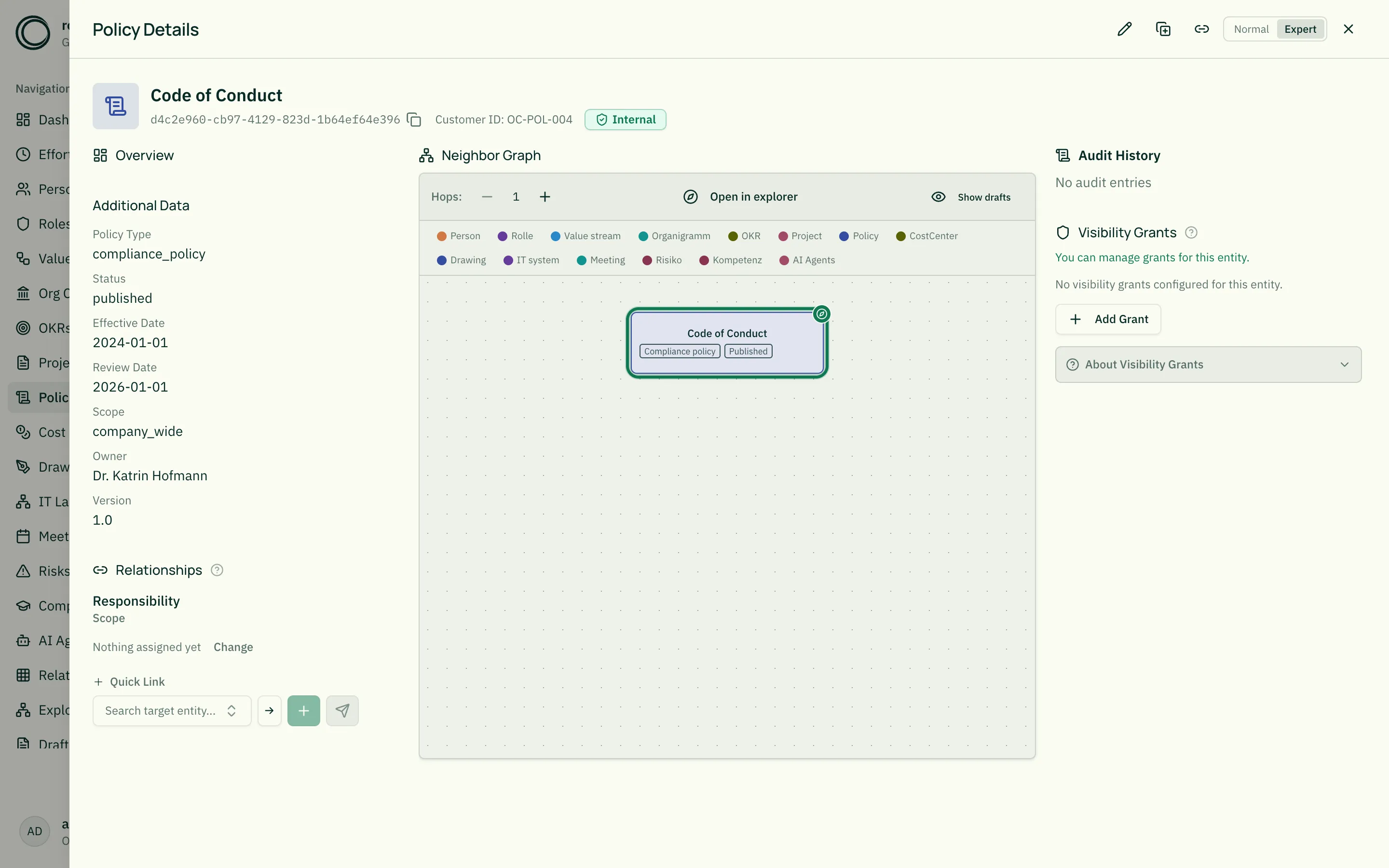
Section titled “Detail view”- Type, status, and scope badges
- Description as lead text
- Effective date and next review — Next review is marked as a deadline out of the box and reminds those accountable
- Version
- Linked roles, value streams, units
Related
Section titled “Related”- Entity Types — General info on entity types
- JSON Schema for Entity Types — JSON schema options
- Organigramm — Units as scope
- Risks — Risks addressed by policies
- Relationship Types — OWNS, BELONGS_TO in detail