

Deadlines and reminders
Some dates are more than a value: the validity of a certification, the next review of a policy, the follow-up date of a risk. Miss one and you usually find out too late.
The platform reminds you — but only for fields explicitly marked as a deadline. A project start or an effective date is a date, but not something to be reminded about.
Marked out of the box
Section titled “Marked out of the box”Three fields carry the mark from the start:
| Object | Field |
|---|---|
| Competence | Valid until — the re-certification reminder |
| Policy | Next review |
| Risk | Next review |
Marking your own deadlines
Section titled “Marking your own deadlines”In entity type administration, every date field in the field table has a Deadline column with a remind checkbox. Tick it and the field is watched from then on.
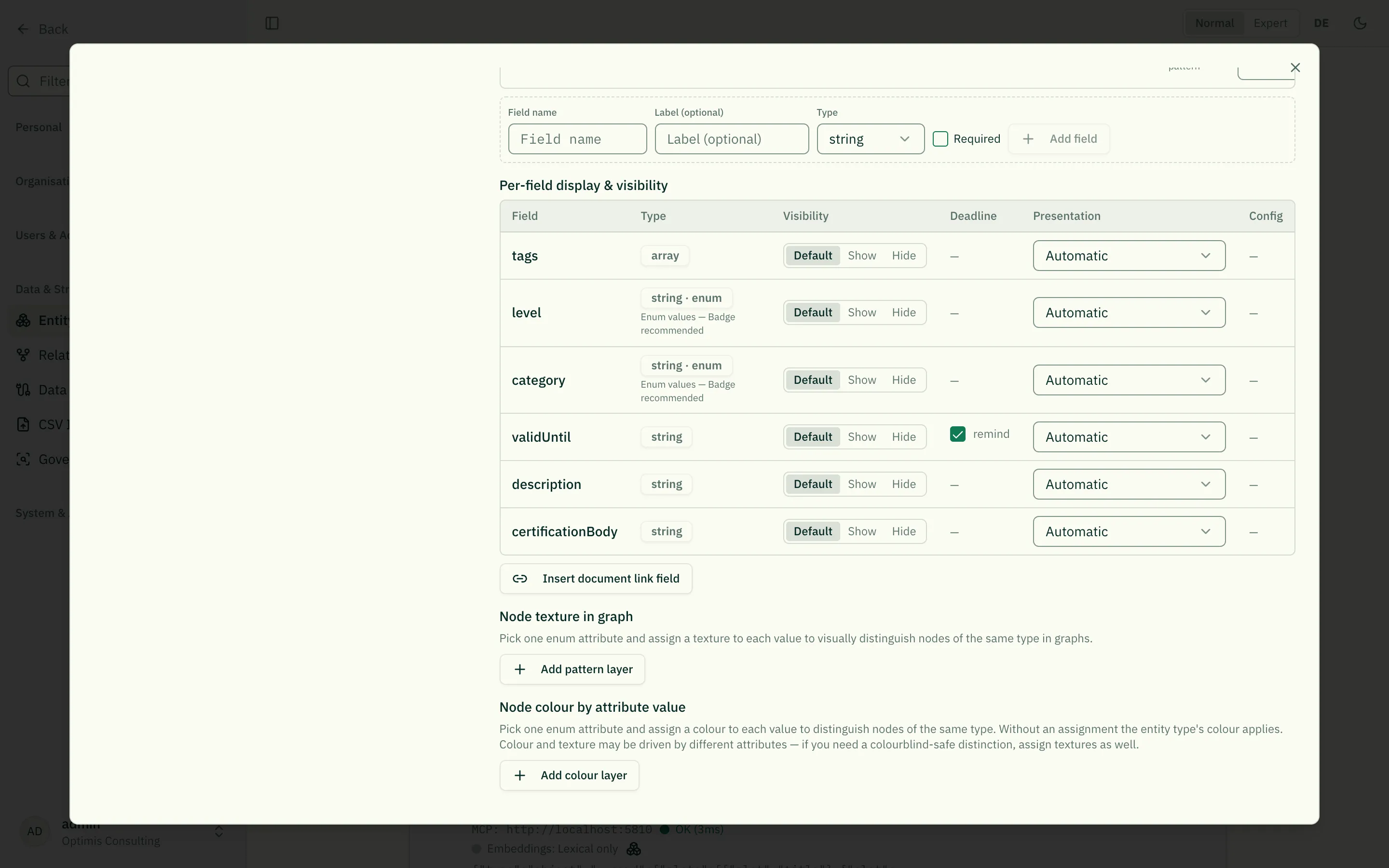
The checkbox only appears on genuine date fields. If you later remove the date format from a field, the mark goes with it — a deadline without a date would be a setting that never takes effect.
Who gets reminded
Section titled “Who gets reminded”Not “everyone”, but whoever is accountable:
- the responsible person — including where accountability runs through a role (object ← is responsible for ← role ← executes ← person);
- if the object is a person, that person;
- everyone watching the object.
If nobody is found, no notification is created on purpose — a reminder to everyone is not a reminder. When a deadline reaches nobody, the accountability relationship is usually missing.
When it reminds
Section titled “When it reminds”Administration configures this per tenant (Deadline reminders):
- Advance notice: up to three stages, 30 / 7 / 1 days before by default.
- Follow-up: up to three stages, 1 / 7 / 14 days after by default.
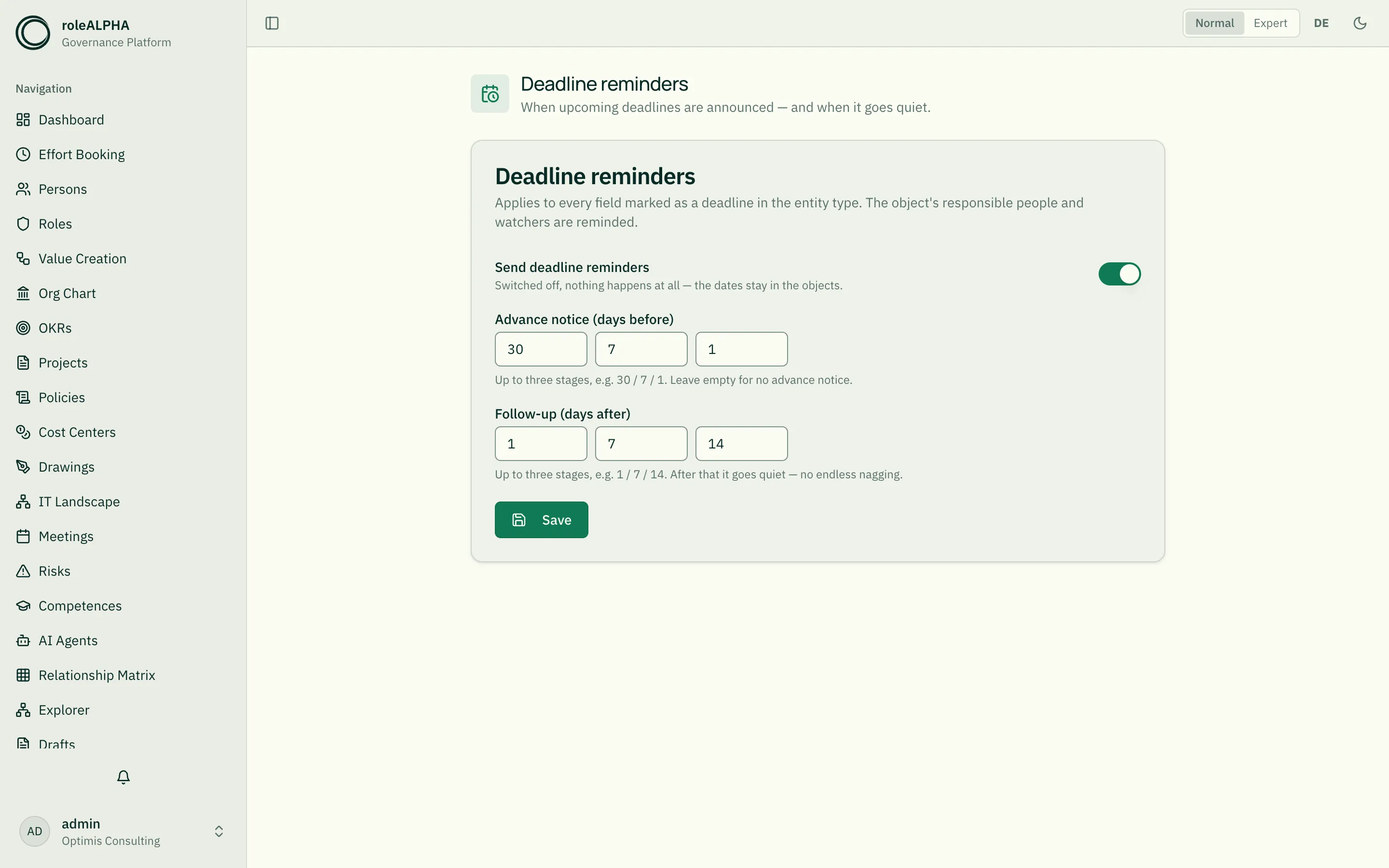
Each stage speaks up exactly once — even if the platform runs several times or restarts. After the last follow-up stage it goes quiet: the date stays on the object but does not nag forever.
Either direction can be emptied individually, and reminders can be switched off entirely.
What deliberately does not happen
Section titled “What deliberately does not happen”- No “done”. The platform has no “review completed” state, only a date. Whoever has dealt with the deadline moves the date forward — and the reminders start over for the new one.
- No reminders without the mark. Other date fields stay quiet.
- No reminders about objects you are not allowed to see.
Whether deadlines also reach you by email is up to your notification settings — unlike most kinds, deadlines default to on: a deadline is an obligation.
Related
Section titled “Related”- Notifications — Inbox, bell and channels
- Watching objects — Watching objects
- Entity Types — Managing the fields of an entity type