

Billing
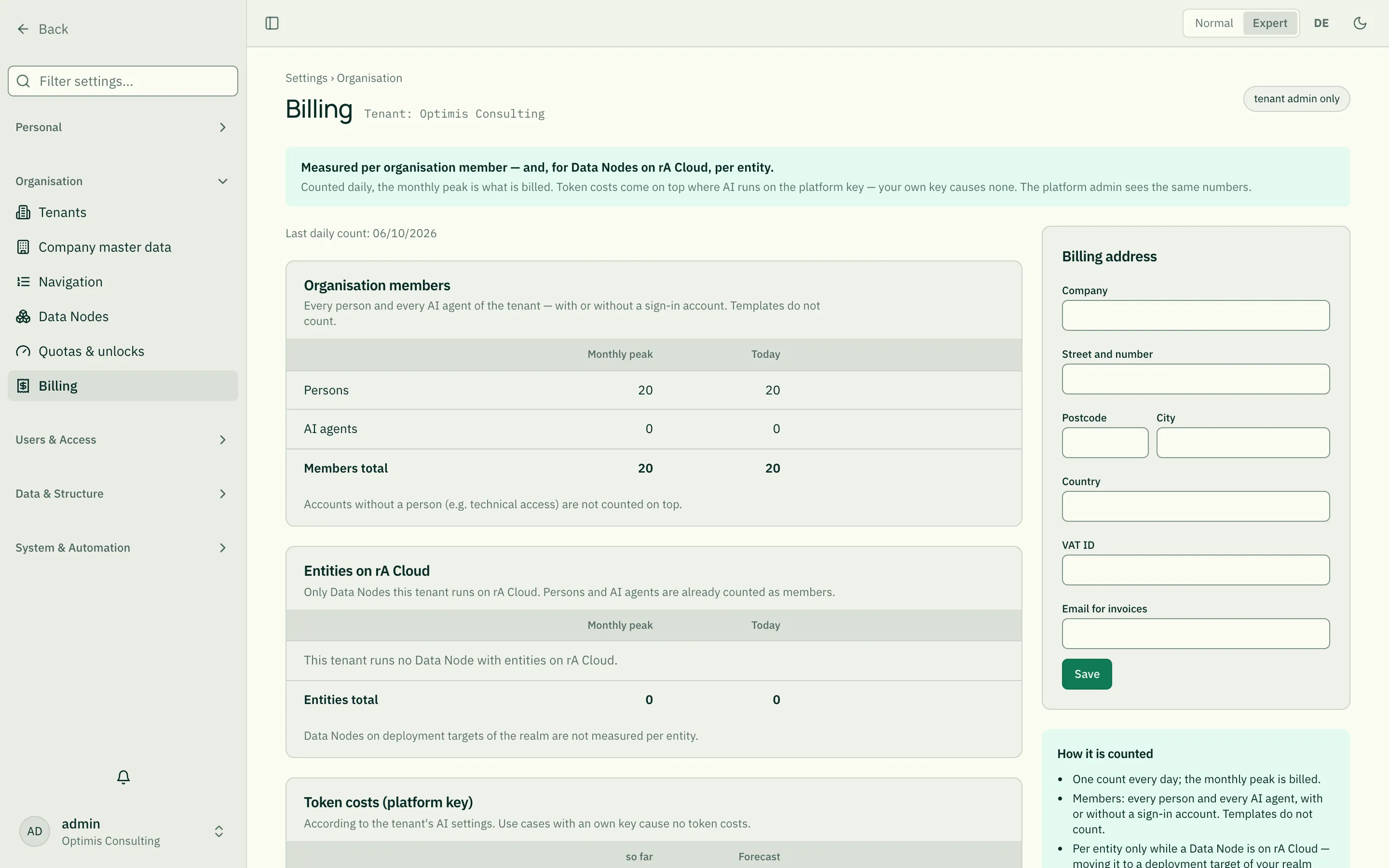
Under Settings › Organisation › Billing you see what is billed for your tenant — the same numbers roleALPHA sees. Invoices and prices are not shown here; the page counts and shows. Only tenant admins see it.
What is counted
Section titled “What is counted”Organisation members — every person and every AI agent of the tenant, with or without a sign-in account. Templates do not count, and accounts without a person (e.g. technical access) are not counted on top.
Entities on rA Cloud — only the objects of those Data Nodes that run on rA Cloud, broken down per Data Node. Persons and AI agents are already counted as members. Data Nodes on a deployment target of your realm are listed below with “not per entity” — they are not measured per object. Moving away from rA Cloud ends counting per entity.
Token costs (platform key) — per use case and provider, so far this month and as a forecast to the end of the month (projected evenly). Use cases with your own key are listed below with “none”: they cause no token costs. Your AI budget under Quotas limits these costs.
Monthly peak and today
Section titled “Monthly peak and today”Counting happens once a day. The monthly peak — the highest daily count — is billed. Next to it is today. If there has been no count yet this month (e.g. on the first before the first count), the peak is empty and “today” is measured live.
Euros instead of dollars
Section titled “Euros instead of dollars”AI providers bill in US dollars. Costs are converted with the European Central Bank reference rate. If there is no rate for a day (weekend, holiday), the last known one applies — the page shows its date.
Billing address
Section titled “Billing address”On the right you maintain the billing address: company, street, postcode, city, country, VAT ID and the email for invoices. These are the same details as in the company master data — a change here applies there too. The other master data stay untouched. If roleALPHA changes the address on your behalf, it appears in the log with a reason.