

Validator
The Validator keeps your data integrity in check. You define rules that verify whether an entity meets certain conditions across its relationships — such as “a role may not hold more than 100% FTE” or “every value stream needs at least one owner”. When an entity violates a rule, the Validator reports it with an error message you authored.
Open it from the sidebar under Settings → System & Automation → Validator (/validator). The
page is only visible to tenant admins and platform admins.
Rules always belong to exactly one tenant. As a tenant admin you only see and manage the rules of your own tenant — even when you open a foreign rule address directly. Only platform admins work across tenants.
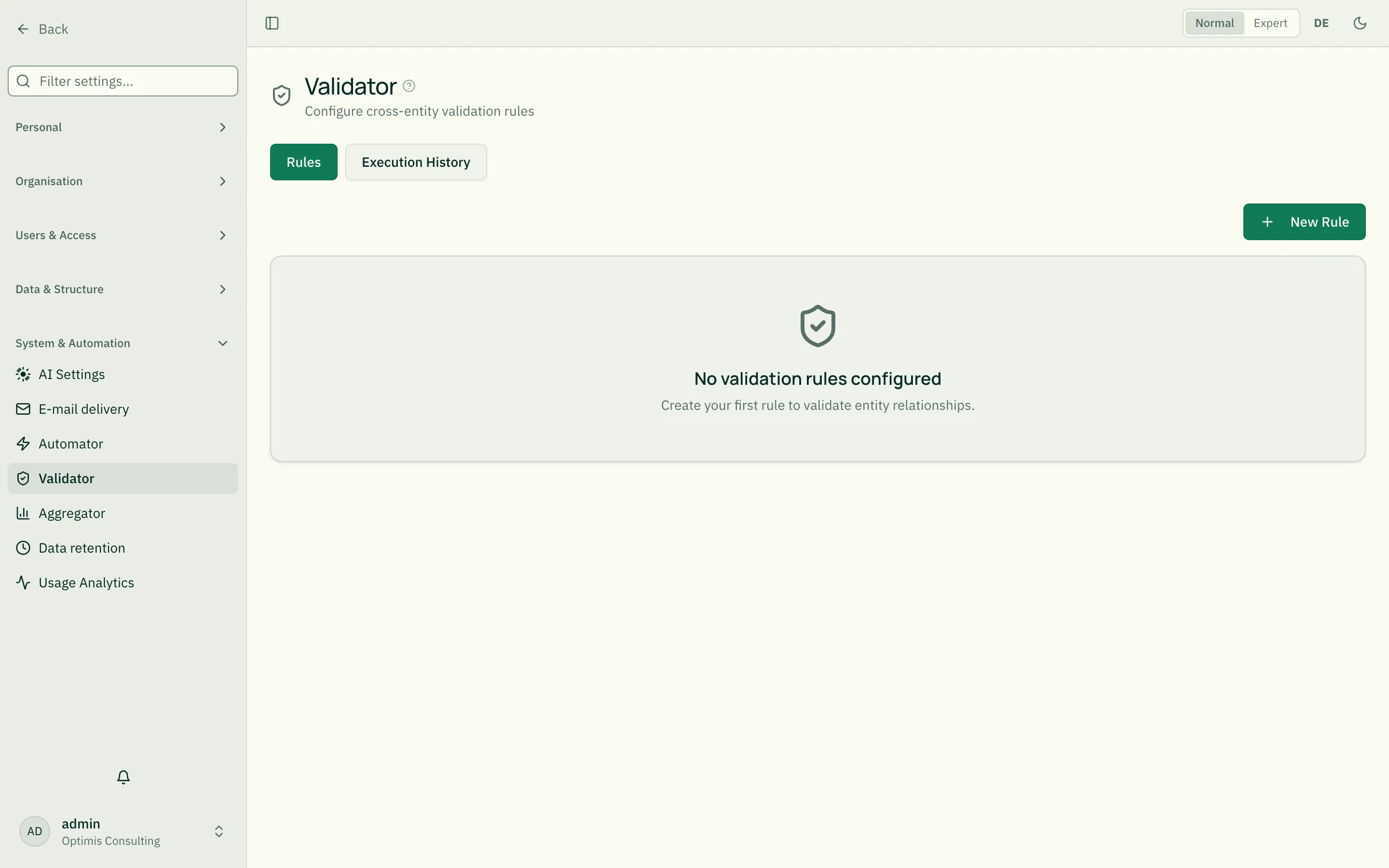
The two tabs
Section titled “The two tabs”- Rules — create, edit and (de)activate validation rules.
- Execution history — each check performed, with its result (valid/invalid) and the concrete errors.
Building a rule
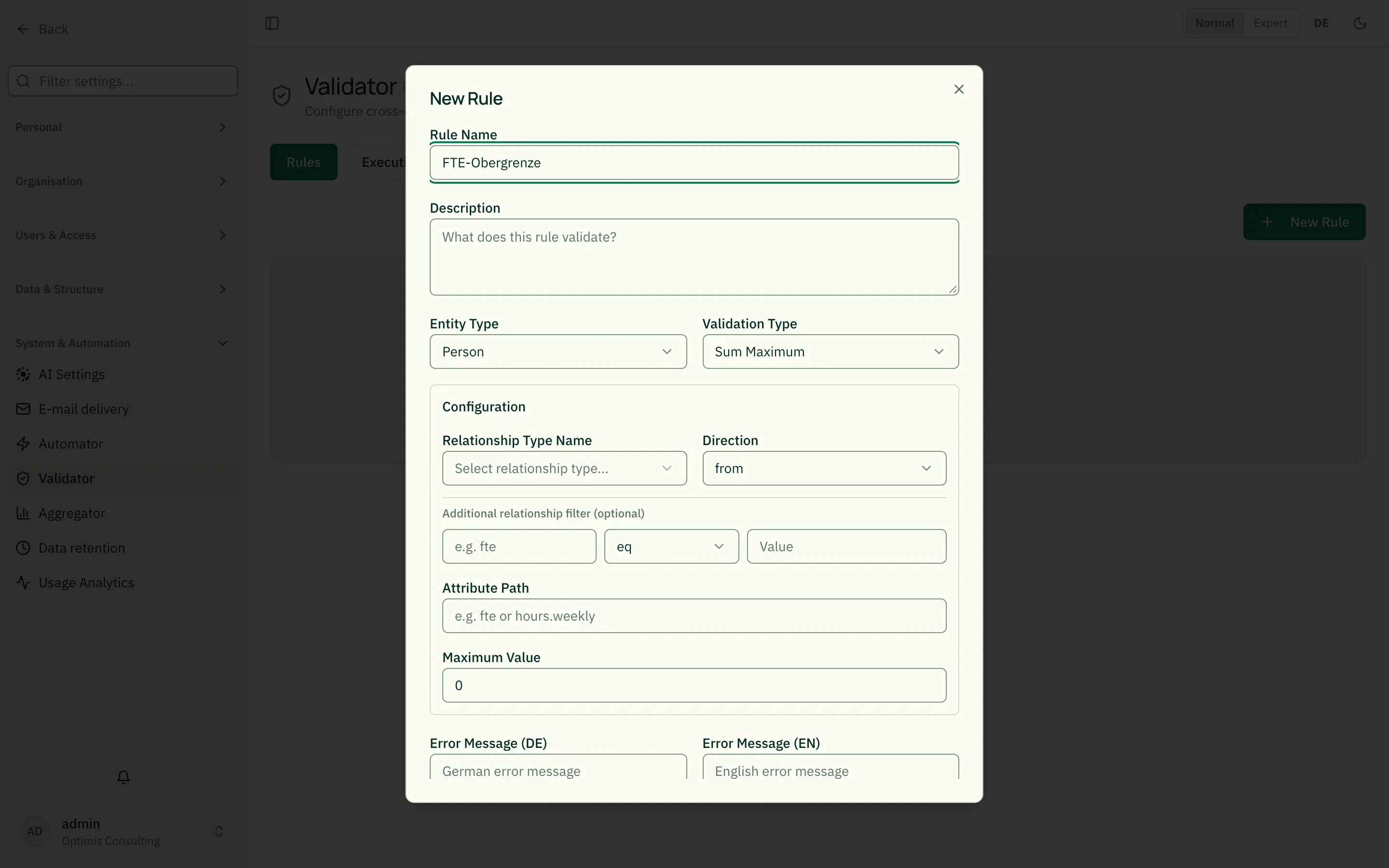
Section titled “Building a rule”New Rule opens the editor.
Basics
Section titled “Basics”- Rule name and description: for recognition.
- Entity type: which type is checked (e.g. Role, Person).
- Validation type: determines the check logic (see below).
The configuration must be complete: on save, roleALPHA checks that the chosen validation type has all its required fields. If something is missing, a message names the open fields and the dialog stays open — a half-configured rule would otherwise come up empty on every check.
Configuration — shared fields
Section titled “Configuration — shared fields”Four of the five validation types work across relationships and share two fields (the exception is “Field required” — see below, which checks a field of the entity itself and doesn’t need these two):
- Relationship type: the relationship type whose links are
considered (e.g.
EXECUTES). - Direction — from which end of the relationship counting/summing
happens:
from— relationships where the checked entity is the source.to— relationships where it is the target.both— relationships in either direction.
Important:
attributePathreads a value from the relationship’s attributes (not the linked entity!). Example: if theEXECUTESrelationship carries a fieldfte, the Validator sums over thoseftevalues. If a schema exists for the chosen relationship type you can pick the attribute from a list.
Additional relationship filter (optional)
Section titled “Additional relationship filter (optional)”For all four relationship-based types you can additionally set a relationship filter: one more condition over the relationship’s attributes that must also hold, on top of relationship type and direction, for a relationship to count at all. Without a filter the rule behaves exactly as described above — the filter is a pure restriction.
- Field (the attribute name on the relationship, e.g.
fte), operator and value — a single comparison. - Example: only
EXECUTESrelationships with at least 0.5 FTE count toward the sum rule → fieldfte, operatorgte, value0.5. - In Expert mode (the toggle in the top-right, or M) an additional “Edit as JSON” option is available — it lets you write OR/NOT-combined or multi-part filters that the single-row form can’t express. See Automator’s “Advanced Mode” section for the JSON format — it’s identical.
Filter by the connected entity (Count max only)
Section titled “Filter by the connected entity (Count max only)”The relationship filter above only reads attributes of the relationship
itself. If you instead want to check a field of the connected entity
(e.g. its organisation type), “Count max” (count_max) offers an
additional entity filter:
- Entity type of the other side, field (in that entity’s content) and value — only relationships whose other side carries this field with this value count toward the total.
- Example: an org unit may not be directly subordinate to more than one
company → relationship type
PARENT_OF, directionto, max count1, entity filter: entity typeorganigramm, fieldorgType, valueUnternehmen. Multiple managers without company involvement (classic matrix reporting) are unaffected — the filter only counts relationships to company entities. This rule is already provisioned as a default for theorganigrammmodule’s entity type, see Organigramm.
The five validation types
Section titled “The five validation types”1. Sum max (sum_max)
Section titled “1. Sum max (sum_max)”Checks that the sum of a relationship attribute does not exceed a maximum.
- Extra fields: attribute path, max value.
- Example: a role may not bind more than
100% FTE in total → relationship typeEXECUTES, directionfrom, attribute pathfte, max value100.
2. Relationship required (relationship_required)
Section titled “2. Relationship required (relationship_required)”Checks a minimum number of relationships of a type.
- Extra field: min count.
- Example: every value stream needs at least one owner → relationship type
OWNS, directionto, min count1.
3. Count max (count_max)
Section titled “3. Count max (count_max)”Checks a maximum number of relationships of a type.
- Extra field: max count.
- Example: a person may execute at most 5 roles → relationship type
EXECUTES, directionto, max count5.
4. Custom aggregate (custom_aggregate)
Section titled “4. Custom aggregate (custom_aggregate)”The most flexible variant: computes an aggregate over a relationship attribute and compares it to a threshold.
- Extra fields: attribute path, aggregation, operator, threshold.
- Aggregation — how values are combined:
| Aggregation | Meaning |
|---|---|
sum | sum of all values |
avg | average |
min | smallest value |
max | largest value |
count | number of values |
- Operator — how the result is compared to the threshold:
| Operator | Meaning |
|---|---|
gt | greater than |
gte | greater than or equal |
lt | less than |
lte | less than or equal |
eq | equal |
neq | not equal |
- Example: a team’s average age must be at least 25 → aggregation
avg, attribute pathage, operatorgte, threshold25.
5. Field required (field_required) — legacy
Section titled “5. Field required (field_required) — legacy”For new required fields, use the entity type schema: the Required checkbox in the field builder (see JSON Schema for Entity Types). That also applies when an entity is created — something this rule type never managed, because it needs an already stored entity. Existing rules keep working unchanged, and the type stays selectable so they remain visible and editable.
It is the only one of the five types that does not check an entity’s relationships but a field of its own content — relationship type and direction are hidden for it.
- Fields: Field (the field name in the entity’s content, e.g.
firstNameorpurpose) and Required (toggle — disabled skips the check without deleting the rule). - An entity violates the rule when the field is missing,
null, or contains only whitespace.
Bundled default rules
Section titled “Bundled default rules”Some modules ship default rules that your tenant receives automatically. Exactly one is left: “Org unit: at most one parent company” — a statement about relationships that JSON Schema cannot make.
What decides is your schema, not the module: a default rule is only created when the field it demands actually exists in your tenant’s entity type schema. If it is missing, the rule would be impossible to satisfy and would merely block. If an already-created default rule stops matching your schema (because you renamed a field, say), the platform removes it again on its own.
Anything you touched stays untouched: your own rules, and default rules whose configuration or error message you edited, are never removed automatically.
One-off exception in August 2026: when required fields moved to the schema checkbox, the bundled required-field rules were withdrawn and the entire stock of
field_requiredrules was removed — including hand-made ones. Otherwise the same promise would have existed twice, with two messages and two places to maintain. For everything else the promise above stands unchanged.
Error messages (DE / EN)
Section titled “Error messages (DE / EN)”For each rule you store a German and an English error message. It is shown when the rule is violated — phrase it clearly for end users (e.g. “The role is over 100% utilized”). If left empty, the Validator generates a technical default message.
When does the check run?
Section titled “When does the check run?”The Validator checks an entity on draft approval as well as on manual trigger. If the final state violates a rule, the error appears in the execution history. This catches faulty data before it takes effect — in contrast to the Automator, which reacts after an event.
Two details that matter day to day:
- On approval the draft counts, not the stored state. A draft that adds a missing required field therefore goes through — otherwise a violation, once created, could never be repaired through the UI.
- When linking two entities, the Validator only evaluates rules a relationship can actually change (sums, counts, required relationships). A missing required field on either entity does not block the link — it was violated before and stays violated after; that entity’s own check is what reports it.
Blocking or observing?
Section titled “Blocking or observing?”Every rule has a mode:
| Mode | Effect |
|---|---|
| Blocking (default) | If the resulting state violates the rule, the operation is rejected. When linking, the relationship that was just created is removed again and the request is answered with an error. |
| Observing | The rule is evaluated exactly the same way, but the operation goes through. The finding appears in the execution history with status Observed — visible, but not an obstacle. |
What “observing” is for: introducing a new requirement without halting operations. Set the rule to observing first, look at the execution history to see how many records would violate it today, clean up the existing data — and only then switch it to blocking. Otherwise a freshly introduced obligation rejects every save immediately, including where nobody knows the cause.
Two points that matter:
- An observed finding is not a failure. The Observed status is therefore shown in its own right and not rendered as “Invalid”.
- If the mode is missing, blocking applies. The mode has to say observing explicitly — so an existing mandatory rule never quietly stops taking effect.
Maintenance tips
Section titled “Maintenance tips”- Choose the direction deliberately:
from/todecide which side you count from. For directed relationships likeEXECUTES(Person → Role) this matters. - The attribute must be filled: sum/aggregate rules only work if the attribute is actually set on the relationships. If missing or not a number, the relationship is excluded entirely from the calculation (not counted as 0) — unlike reports in the Aggregator, which defensively treats a missing value as 0.
- Clear error messages: end users see the message, not the rule — write in business terms, not technical ones.
- Pause instead of delete: use the enabled toggle to temporarily disable a rule.
Create it via the assistant (rAlph)
Section titled “Create it via the assistant (rAlph)”You can also describe a rule in plain words: type /validator in the
assistant, then e.g. “A person must not be attached to more than one cost center.”
rAlph converts it into a rule (here count_max with maxCount: 1), shows it as a
preview card in the chat, and only your click on “Create rule” creates it.
The command is restricted to admins.
rAlph also understands additional conditions over relationship attributes — e.g. “…but only count EXECUTES relationships with at least 0.5 FTE” — and adds them directly as an additional relationship filter to the proposal.
Related
Section titled “Related”- rAlph – Slash commands (/help, /report, /drafts) — the assistant’s slash commands
- Automator — reacts after events instead of checking up front
- Drafts — validation kicks in on draft approval
- Relationship Types — the checked relationship types
- Approval Modes — who approves drafts the Validator lets through