

Bulk Delete
In the entity lists you can delete multiple objects at once. The same works on the canvas — via right-click on a card or a selection rectangle; see The relationship graph.
How it works
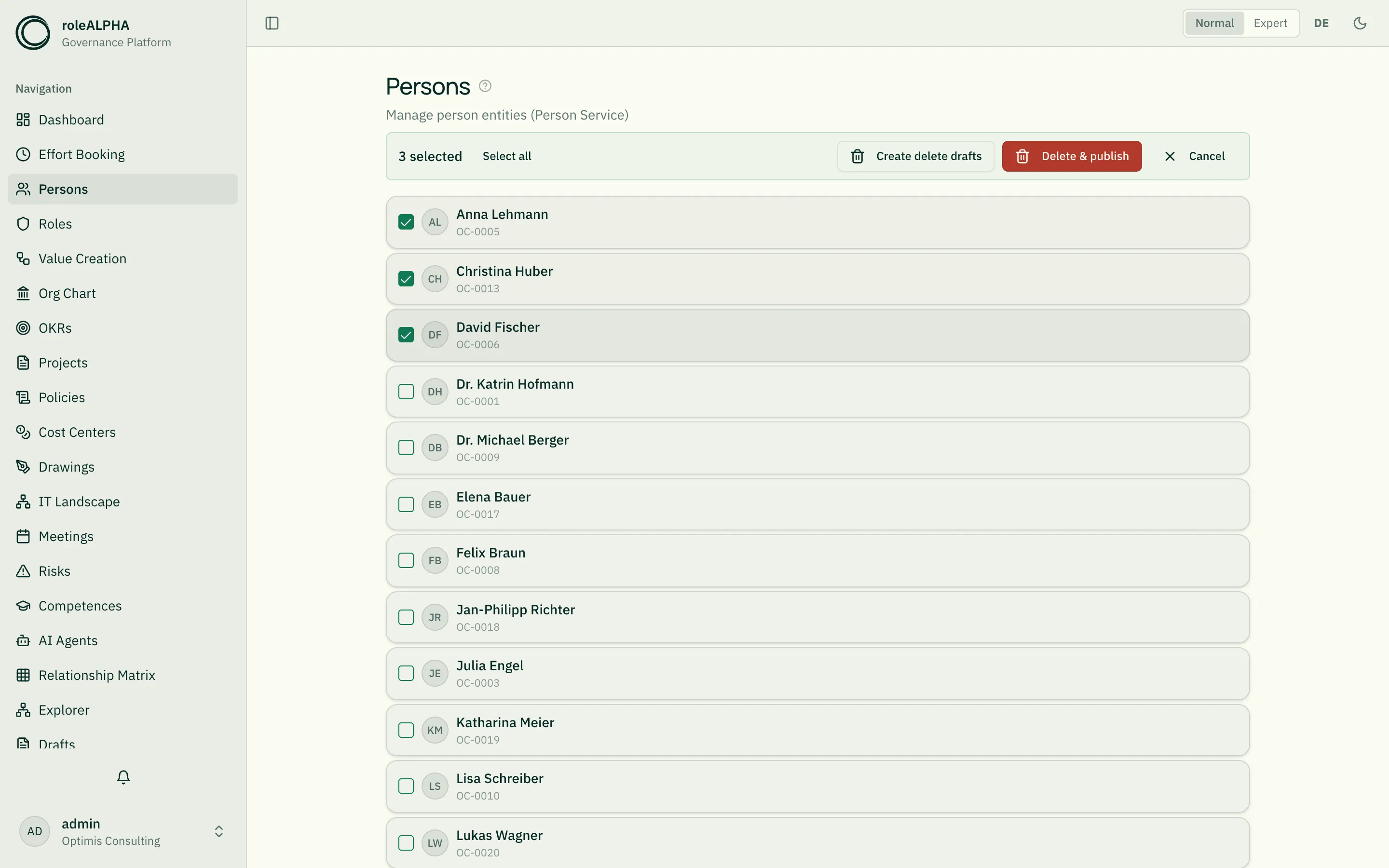
Section titled “How it works”- Click “Select” in the toolbar (visible in normal mode, list view).
- Tick the checkboxes on the cards you want to delete.
- In the displayed selection toolbar choose:
- Create delete drafts — Drafts for later approval
- Delete & publish — Publish immediately
Selecting across pages
Section titled “Selecting across pages”The list loads more entries as you scroll, and “Select all” only marks the entries already loaded. While something is still missing, the selection toolbar therefore names both numbers (“25 of 186 selected”) and states how many entries a deletion would not cover.
“Load all 186 and select” loads the list completely so the selection covers everything. While it loads, both delete actions are disabled.
Limits
Section titled “Limits”Two different limits, not to be confused:
- 1000 entries — the most that can be selected. When the cap is hit while loading, roleALPHA says so explicitly; narrow the list further using search or filters.
- 500 entities per request — the most the server processes at once. Larger selections are sent in batches automatically; you need not worry about it.
- Under strict approval modes, “Delete & publish” does not delete right away: roleALPHA reports “delete drafts created — approval still pending”, and the objects stay until someone approves. If your tenant requires a change comment, the message says so too. If only part could be deleted, it names both numbers and the reason for the first failure. See Approval Modes.
Related
Section titled “Related”- Drafts — How drafts work
- Normal & Expert Mode — “Select” is only active in normal mode + list view
- Duplicates & Replicates — Copy or mirror entities