

Scenarios and Collective Proposals
A scenario bundles changes that belong together. Instead of pushing twenty drafts through the list one by one, you plan them together, see them together and decide them together.
Typical occasions: a reorganisation that moves roles and changes person assignments. An import that creates hundreds of records. A suggestion from the AI assistant that touches several objects at once.
Creating and filling a scenario
Section titled “Creating and filling a scenario”In the sidebar of the drafts page, + creates a scenario. It fills up in four ways:
- Scenario mode — switch it on from the scenario’s menu. While it is running, every newly created draft lands in it automatically and publishing individually is blocked. A banner at the top is a reminder; Exit leaves the mode.
- Assign afterwards — select drafts in the list and assign them to a scenario from the toolbar.
- On import — the CSV import can put its drafts straight into a new or existing scenario.
- Via rAlph — if the AI assistant creates more than one draft, it groups them into a scenario by itself.
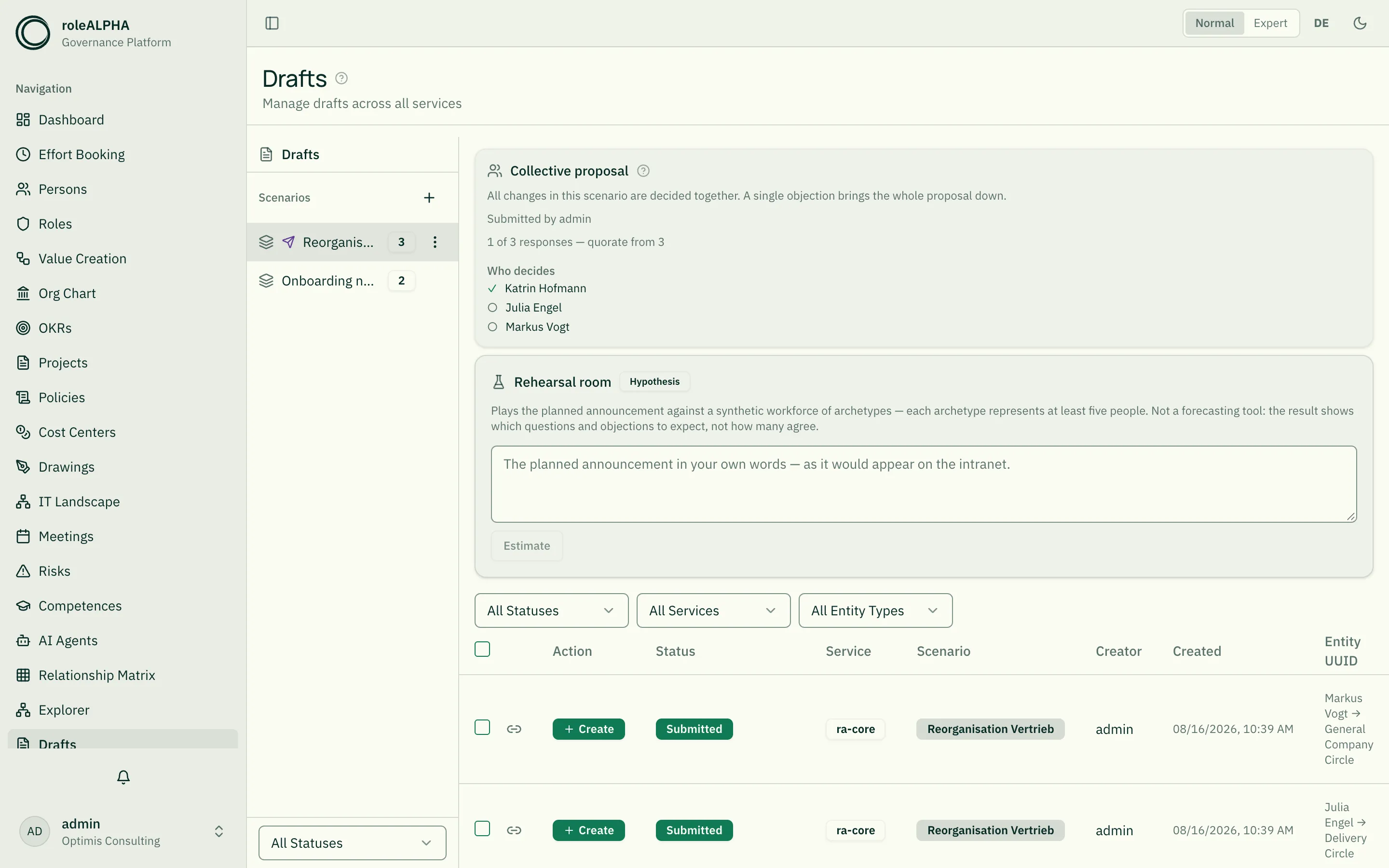
The sidebar shows each scenario’s name and the number of changes it holds. An arrow icon marks the scenarios that are currently up for decision.
The collective proposal: deciding as a whole
Section titled “The collective proposal: deciding as a whole”As long as a scenario is only being collected, it is a planning tool. Submit for decision turns it into a proposal: one set of affected people, one vote, one outcome for every change it contains.
What happens on submission:
- The strictest approval mode among all contained entity types applies. Otherwise a collective proposal would be a way around the strictest rule — you would simply bundle the sensitive change with a harmless one.
- Affected is whoever any of the changes affects. The circles of the individual drafts are combined, not intersected: precisely those touched by only part of the package have the strongest reason to be asked.
- Every affected person receives one notification — not one per contained change.
- From now on the contained drafts can no longer be submitted or approved individually. Without that lock, the collective decision could be settled around it in two clicks.
Agreeing or objecting
Section titled “Agreeing or objecting”Affected people see the proposal above the scenario’s draft list: who decides, who has already responded and — where a quorum is configured — how many responses are still missing. That is where you cast your own decision; an objection or a rejection requires a reason.
A single objection brings the whole proposal down — including every change it contains, even the uncontested ones. That is the intended meaning of “deciding as a whole”: nobody accidentally agrees to a package from which the contested part was later removed, and nobody ends up with eleven of twelve changes that were meant to go together.
The proposal then returns to the person who submitted it. They can revise it and submit it again — the vote then starts over, because the earlier votes applied to a different state.
Publishing: all or nothing
Section titled “Publishing: all or nothing”Once the decision has been made, Publish all applies the changes. Beforehand, roleALPHA checks everything that can be checked in advance — the approval and the change base of every single change. If even one of them is blocked, nothing is applied, and the message names the number of blocking changes and the reason.
One limit remains: a check that is only possible after writing (such as a validation rule across relationships) can still roll back an individual change while the others stand. That then appears in the error list.
What a scenario is not
Section titled “What a scenario is not”- Not compulsory. A scenario you do not submit behaves as it always has: plan, collect, publish collectively.
- Not a partial decision. Individual elements cannot be removed from a running proposal.
- Not time-limited. A proposal stays open until it is decided; reminders are sent cyclically.
Related
Section titled “Related”- Drafts — The life cycle of a single draft
- Approval Modes — Who may approve, and the quorum
- When two people work at once — When the base has moved in the meantime
- Notifications — How pending decisions are delivered