

Linking documents
Every object can carry references to documents — a work instruction on a value stream, a strategy paper on an objective, a policy on a role.
roleALPHA is not a document repository. Only the web address is stored, together with a label of your choosing. Uploading files onto objects is not possible — deliberately so: the document stays where it is maintained and versioned, and who may see it remains the source system’s decision alone.
Adding a link field
Section titled “Adding a link field”As a tenant admin under Settings → Entity types:
- Pick the entity type (for example Policy or Value stream).
- Below the JSON editor, in the “Presentation per field” area, click
Insert document link field. This adds a
documentLinksfield with the columns Label and Link (URL). - Save.
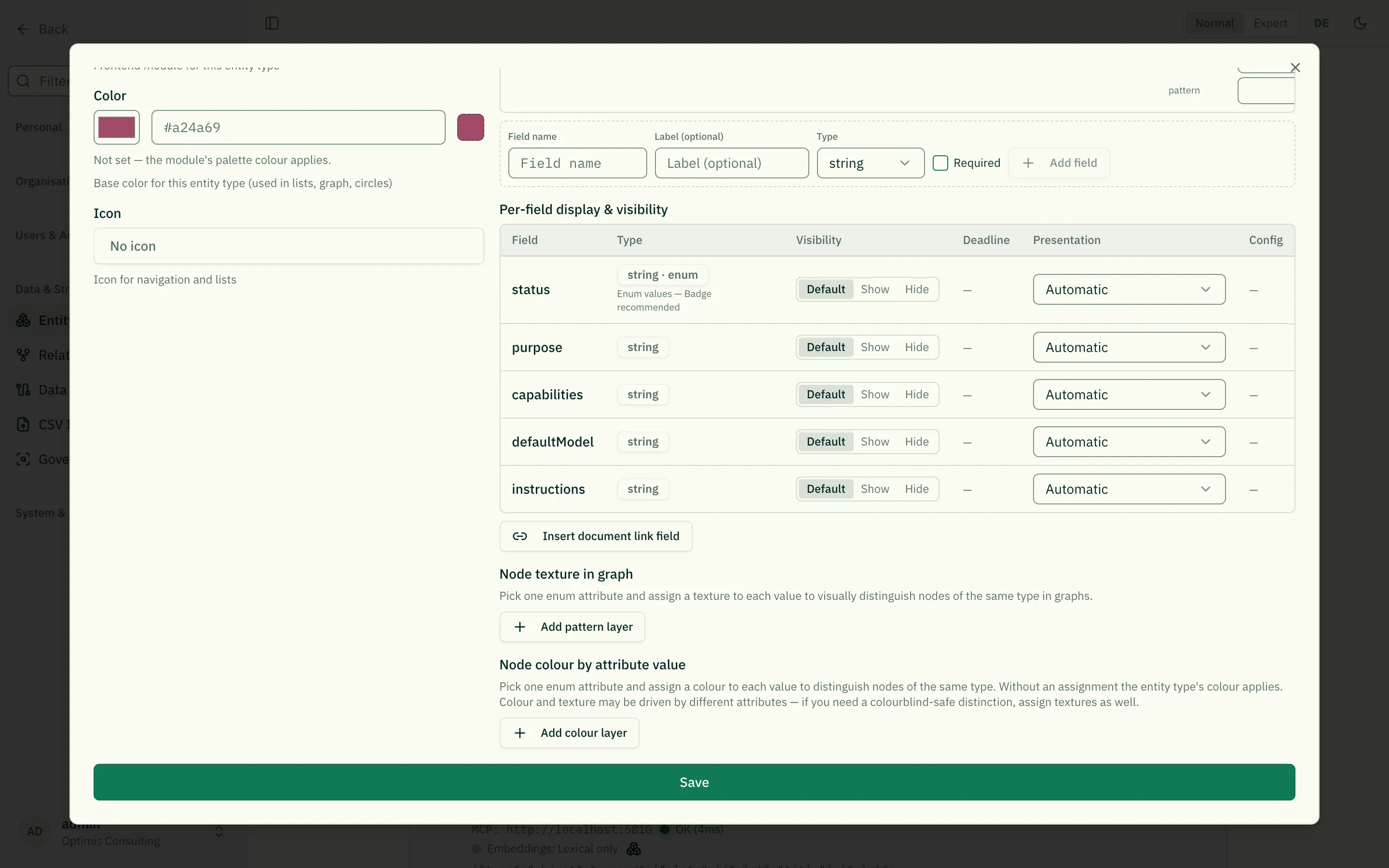
The button is greyed out if the type already has the field. If you want a different name, or several such fields, write it directly in the JSON:
"documentLinks": { "type": "array", "title": "Documents", "items": { "type": "object", "properties": { "label": { "type": "string", "title": "Label" }, "url": { "type": "string", "title": "Link (URL)", "format": "uri" } }, "required": ["url"] }, "x-presentation": "document-links"}For a single link an ordinary text field with the URL presentation is
enough (it sets format: "uri" automatically). For a list of bare addresses
without labels there is link list. All schema options are documented in
JSON Schema for Entity Types.
Entering links
Section titled “Entering links”In edit mode each row offers a field for the label and one for the link, plus an open button to check it right away.
Two conveniences while typing:
- A missing
https://is added when you leave the field —www.example.com/wi-04.pdfbecomeshttps://www.example.com/wi-04.pdf. Without that step the link would later resolve inside roleALPHA instead of the source system. - The open button stays inactive until the address is a valid web link. Only
httpandhttpsare turned into links.
The label is optional. Without one, the list shows the file name taken from the address, or else the host name — so a 200-character DMS URL never appears in full.
Display and preview
Section titled “Display and preview”On the detail view each entry shows a file-type icon (PDF, Word, Excel, PowerPoint), the label as a link, and a magnifier for the preview. Links work in both view modes — normal and expert.
The preview opens the document in a window inside roleALPHA. Note:
- The document is fetched directly by your browser from the source system. Your permissions there apply — roleALPHA holds no credentials for the source system and cannot see the content.
- “Open in source system” is always available, even when the preview works.
When the preview works — and when it does not:
| Situation | Result |
|---|---|
| Direct link to a PDF file | preview in the browser |
| SharePoint/OneDrive link to an Office document | preview if you are signed in to the source system |
| Google Drive / Docs link | preview if you are signed in there |
| Any web page, DMS without embedding permission | notice “no preview available” plus a button into the source system |
If the preview stays empty, that is not roleALPHA’s doing: many systems explicitly forbid embedding into third-party pages, and browsers frequently block signing in to foreign systems inside embedded frames. “Open in source system” is then the way to go. There is no entitlement to a preview — it is a convenience, not a feature commitment.
What this means for data protection and operations
Section titled “What this means for data protection and operations”- No copy, no cache. roleALPHA does not retrieve linked documents itself and keeps no copy. No external viewer service is involved either.
- Permissions stay in the source system. A link in roleALPHA grants nobody access. Anyone without permission in the source system will not see the document — not in the preview either.
- The address itself may be personal data (a name in the path, say). It is subject to the same visibility, logging, export and deletion rules as any other field content — see Visibility.
- Availability and backup of the linked documents rest with the source system, not with roleALPHA. If a document is moved or deleted there, a dead link remains in roleALPHA.
Related
Section titled “Related”- JSON Schema for Entity Types — all schema and presentation options
- Normal & Expert Mode — normal and expert mode
- Visibility — who sees which fields
- Entity Types — configuring entity types