

Index – All Entries of a Page by Level
In a large hierarchy it takes a lot of panning and zooming to find one particular branch. The index lists all entries of the page next to the canvas – in the explorer of every module page (roles, processes, org chart, projects …) and in the circle view of the roles.
Showing and hiding the index
Section titled “Showing and hiding the index”Open the bar via All at the top and choose Index in the View group. Faster: ⌥ Y (Windows: Alt + Y), or say “show index”. The same entry hides the index again, as does the × at the top of the index.
The index sits to the left of the canvas; the canvas becomes narrower, nothing is covered. Your browser remembers whether it is open, separately for the explorer and the circle view.
On a phone there is an Index button above the canvas. The index then slides in from the left and closes again as soon as you have chosen an entry.
How the index is organised
Section titled “How the index is organised”- Hierarchical pages (entries sit below one another, such as units in the org chart or sub-processes): the index is divided into levels. Level 1 holds the top entries, Level 2 their direct sub-entries, and so on. Each level shows its count and can be collapsed and expanded. Within a level the entries are sorted by name.
- Pages without a hierarchy (such as persons): one list, sorted by name.
- In the circle view the levels follow the nesting of the circles: level 1 holds the outermost circles and roles, level 2 everything directly inside them.
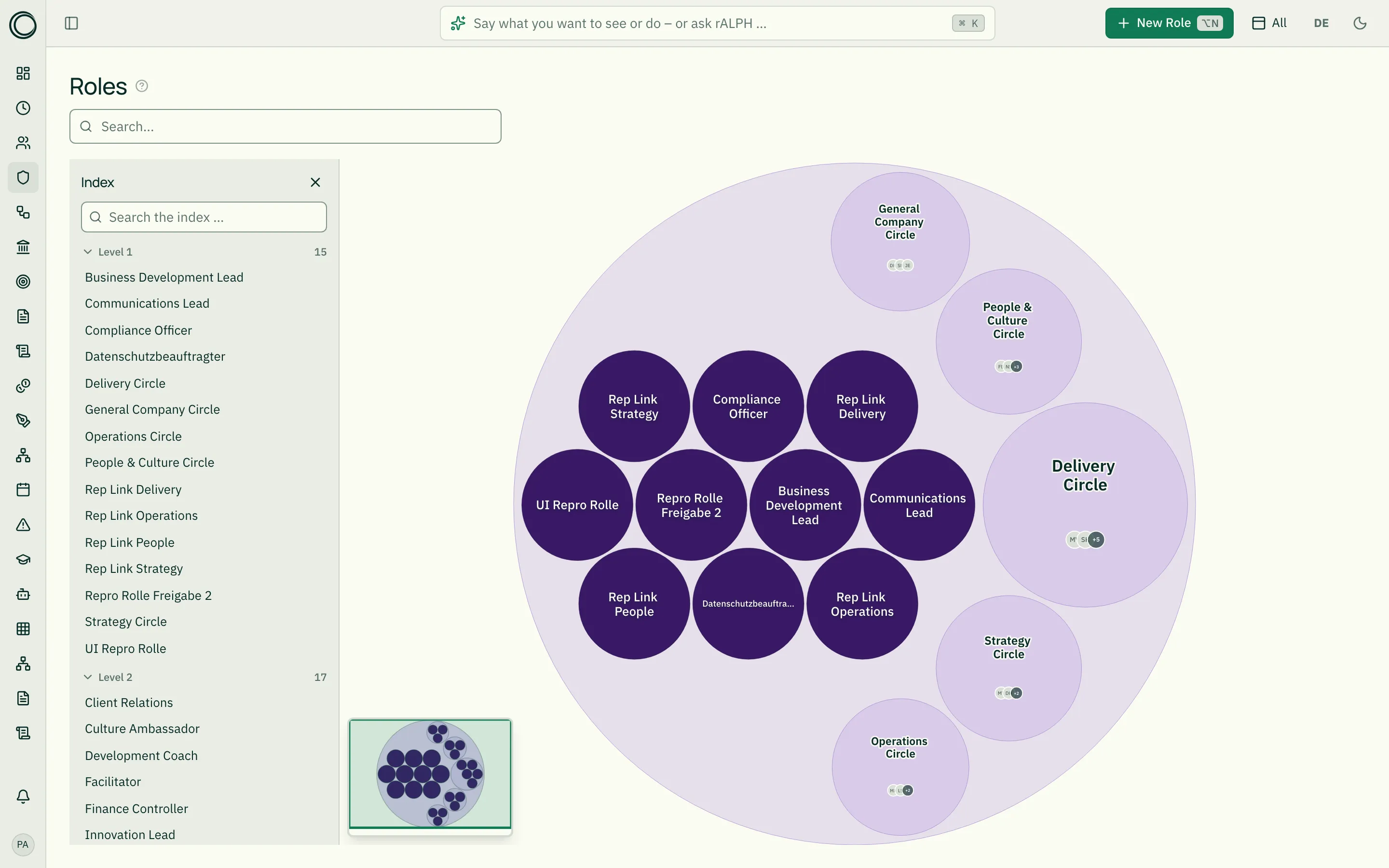
Searching
Section titled “Searching”The search field at the top of the index searches like the page search, by name and ID. Below each hit it says which entry it sits under – so you can tell where it is. While you search, every level with hits is expanded.
Bringing one entry with its sub-entries into focus
Section titled “Bringing one entry with its sub-entries into focus”Click an entry on a hierarchical page: the chosen entry and all of its sub-entries stay bright, including those the level slider would otherwise fold away. Everything else stays in place but is greyed out, just like with the search. This way you can see where the entry sits in the structure. The picture zooms to the chosen entry.
Above the canvas it then says “Focus on … and its sub-entries”. Show all next to it makes everything bright again and shows the whole canvas, as does a second click on the same entry in the index. Clicking another entry switches straight to its subtree.
If you also use the page’s search, only what both match stays bright.
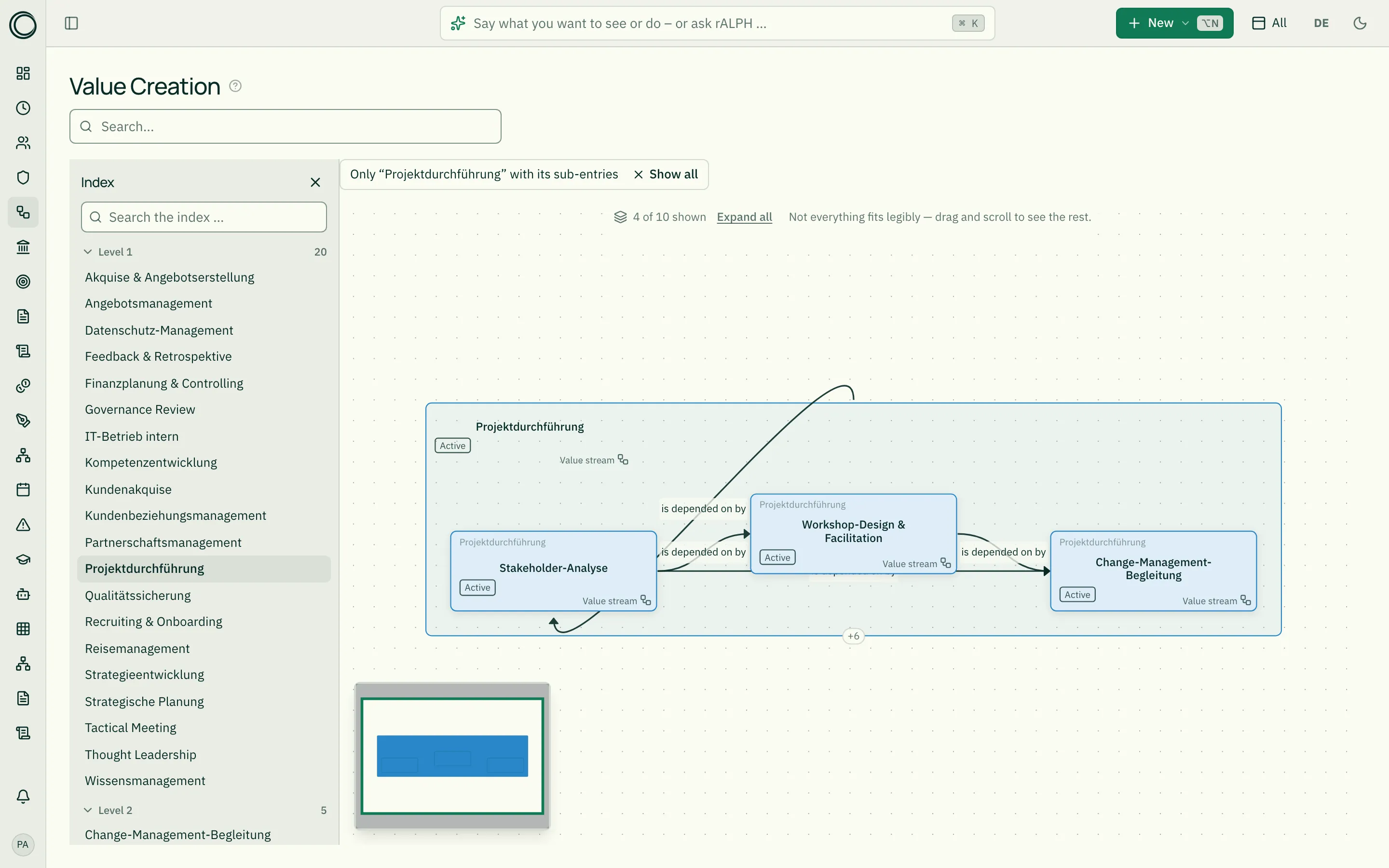
On a page without a hierarchy a click in the explorer greys out nothing: the picture moves to the entry’s card. In the circle view the surroundings are greyed out there too, and the picture zooms to the role.
Good to know:
- The index never changes data and hides nothing; it only sets the focus.
- The choice lasts until you clear it or reload the page. When you switch between the explorer and the circle view, the other view starts again with all entries.